
I’ve lost more hours than I’d care to admit tweaking the fonts, colors, and layouts of my websites… instead of launching them. If you’ve ever found yourself nudging a button into place at 1:00am in the morning, you already know the problem isn’t publishing a site, it’s everything that comes before it. Enter: my Dreamhost Remixer review.
AI website builders are gaining so much popularity for good reason right now. When these tools actually work, they eliminate the blank page scaries, the template rabbit hole, and the pile of tiny design decisions that stop most people before their site ever goes live.
Instead of spending days building a website from scratch, AI can help you create a professional-looking site in a fraction of the time. The real question is whether it actually delivers on that promise, and that’s exactly what my Dreamhost Remixer review dives into:
My Dreamhost Remixer Review (AI Website Builder): Key Takeaways
- A better prompt gives you a better first draft website. The more clearly you describe your business, audience, style, and must-have pages, the less cleanup you’ll do later.
- DreamHost Remixer works more like a conversation than a traditional website builder. Instead of browsing website templates, you describe the site, it builds a draft, and you refine it by chatting back with the tool.
- AI website builders are strongest for information-first sites. This includes portfolios, landing pages, local businesses, cafes, and simple blogs.
- You still need to preview everything before publishing. Fast does not mean hands-off, and a quick mobile check can save you from embarrassing mistakes.
- Bigger, more customized sites still belong in WordPress or another flexible platform. AI can get you moving fast, but it’s not the right tool for every job, and Remixer is clear about what it’s strengths are.
Like all things in life, I always recommend taking the mess-around-and-find-out route. Try Remixer with a 30-day free trial and see for yourself today.
Build and Launch a Website in Minutes: DreamHost Remixer
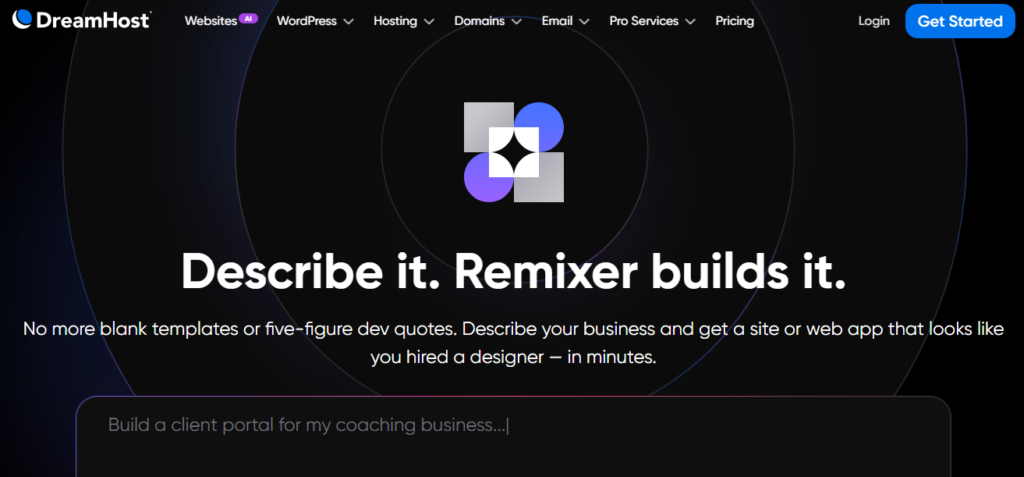
Create, customize, and publish a website without spending hours tweaking layouts and design settings. If you’d like to test it yourself, DreamHost is offering my readers a 30-day free trial with no credit card required!
What is DreamHost Remixer?
DreamHost Remixer is an AI website builder that creates a site from a plain-English prompt. As a powerful AI website generator, it allows you to describe your business, your target audience, your desired aesthetic, and the necessary pages. It then creates a functional, high-quality site complete with a layout, copy, and imagery.
This is a distinct departure from many other platforms. Many solutions still present you with a rigid template, generate a single headline, and leave the heavy lifting to you. If you have explored comparisons of other AI website builders, you’ve likely seen how inconsistent the category remains.
What stands out here is that the entire flow remains conversational. You are not bouncing between complex theme settings, block panels, or random style controls. You simply describe your vision, review the results, make minor tweaks, and publish.
A blank idea was transformed into a professional website on a live domain in one sitting, and that is the true test of utility.
Why AI Building Feels Faster Than Traditional Website Builders
The primary frustration with building a site is the exhaustive list of tiny decisions that stall progress.
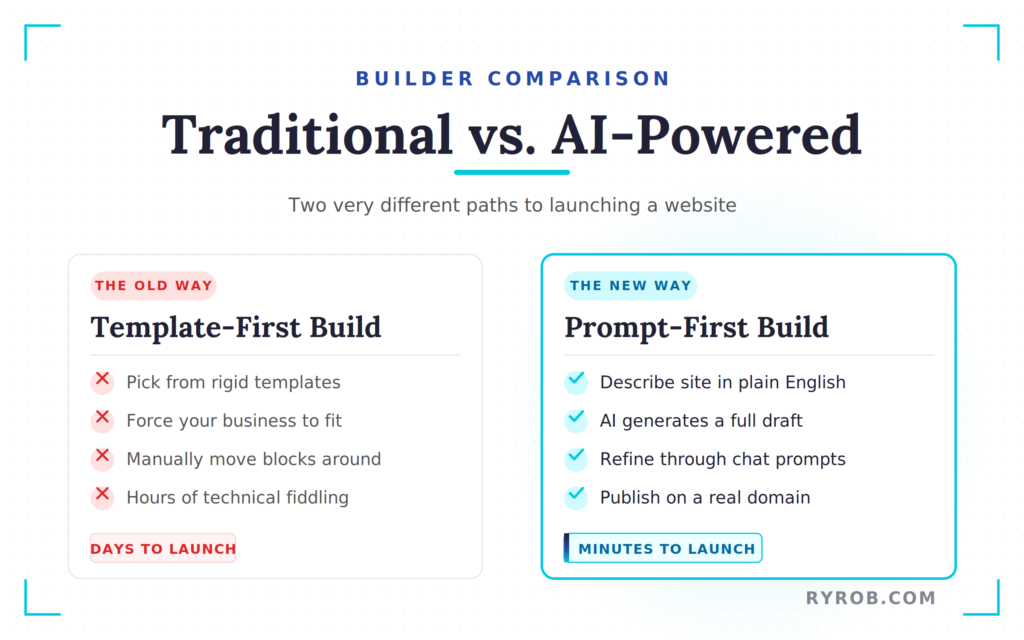
First, you pick a template. Then, you spend hours trying to force your business to fit that specific design. With traditional drag and drop builders, you often find yourself manually moving blocks, writing copy from scratch, swapping photos, and obsessing over spacing.
Because this platform requires no coding skills, it removes the technical barriers that cause many people to abandon their projects.
Most people do not quit because they cannot click the publish button. They quit because the process requires too much patience and technical fiddling.
Remixer eliminates a huge portion of that friction. Instead of building every page piece by piece, you start with a draft that is already nearly complete. You are editing a user-friendly website that already exists, rather than trying to manifest one from nothing.
For many small business owners, creators, and solo founders, that momentum is all they need to succeed.
Where Remixer Lives Inside DreamHost
Remixer is integrated directly into DreamHost, ensuring that your reliable hosting, site management, and website builder are all connected in one place. That integration matters more than it might initially seem.
When your builder, host, and domain provider live in separate tools, you end up performing a lot of extra work. You have to connect various accounts, point DNS records, and hope that everything remains stable.
Here, the process is streamlined. You select a hosting plan, secure your custom domain name, and jump straight into the AI tool. If you are brand new to this process, this integration removes a significant amount of confusion right from the start.
If you want a more traditional walkthrough of the basics, this step-by-step guide to building a website covers the classic path from hosting to launch.
How to Prompt AI for a Better First Draft
The quality of your website starts with the quality of your prompt. That is not just hype, it is the whole game. When you use a well-crafted natural language prompt, you provide the clear instructions necessary for the system to generate a truly professional site.
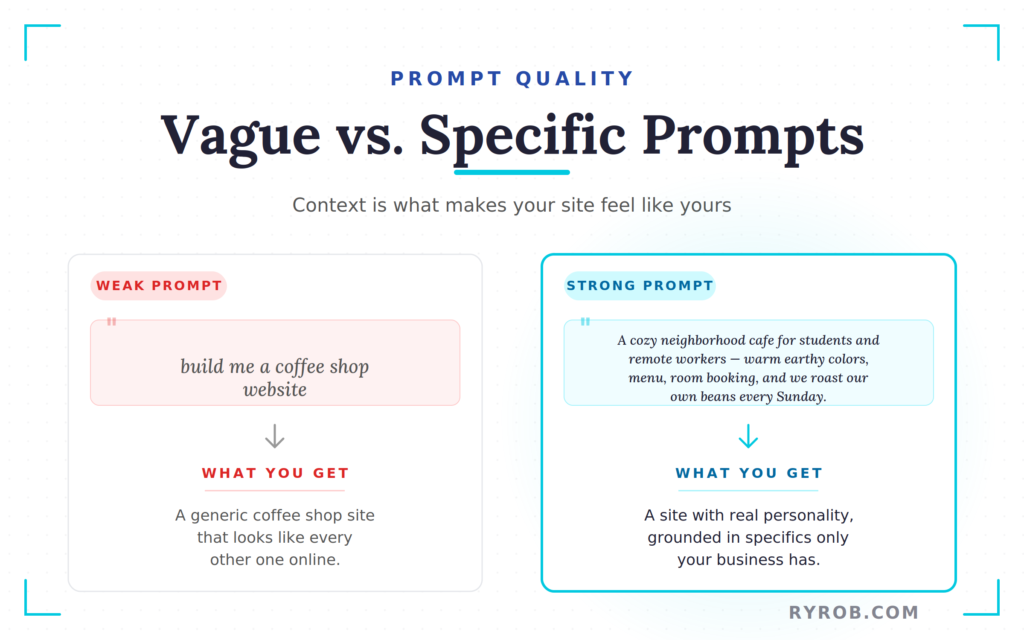
A vague prompt gives you a vague site. If you tell the AI, “build me a coffee shop website,” do not be surprised when it gives you a coffee shop that looks like every other coffee shop on the internet.
A better prompt gives the AI agent context. It tells the tool what kind of business you are creating, who it is meant to attract, what it should feel like, and what makes it different.
My 5-Part AI Website Building Prompt Formula
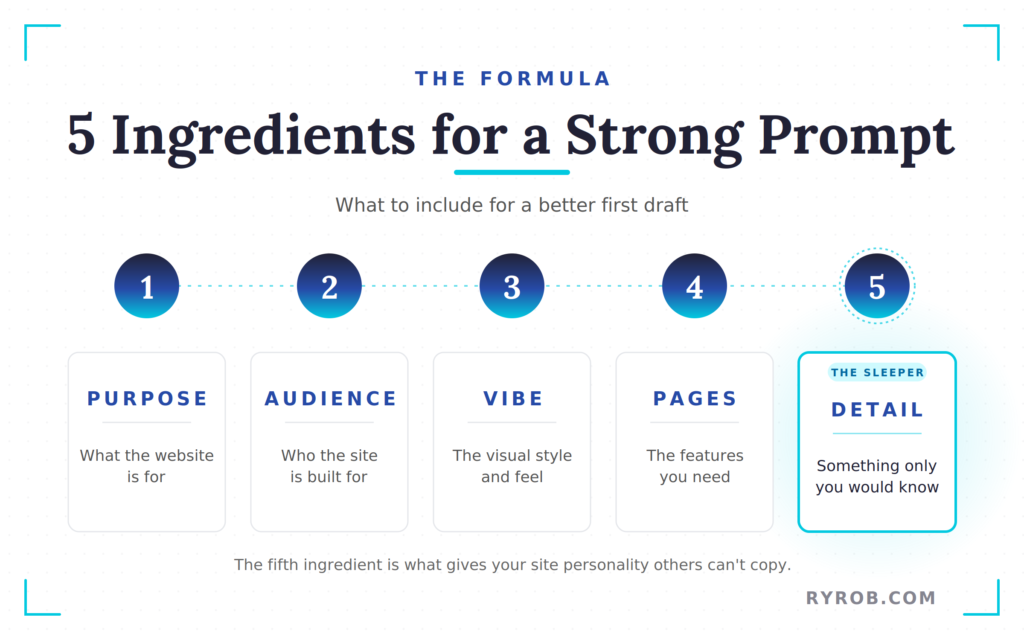
The simplest way to get a stronger first version is to include five ingredients in your natural language prompt:
- What the website is for
- Who it is for
- The vibe or visual style
- The pages or features you need
- One detail only you would know about the business
That last part is the sleeper. It is the thing that keeps the site from feeling stock.
In the demo, the coffee shop example was not framed as “make a coffee shop site.” It was framed more like this: create a site for a cozy neighborhood cafe for students and remote workers, with warm earthy colors, a menu, private room booking, and the detail that the cafe roasts its own beans every Sunday.
That is what gives the draft some personality. It is not magic. It is context.
Add Business Details Only You Would Know
This is where most AI-generated sites go flat. They sound fine, but they could belong to anyone.
A small local detail changes that fast. When you include these specific details, you are effectively guiding the automated design process toward a more professional look.
Maybe your bakery does sourdough batches at 6 a.m. every Friday. Maybe your landscaping business specializes in drought-tolerant yards for Southern California. Maybe your coaching business includes a private kickoff call before any long-term package begins.
Those details help the AI write copy that sounds more grounded. They also steer the images, layout emphasis, and supporting sections in a better direction. By adding these specifics, you improve your level of design customization, ensuring the final output reflects your brand identity.
I have seen the same thing play out in other corners of online business too. The strongest projects do not win because they are louder. They win because they feel specific and useful.
Websites are no different. The strongest ones feel specific, useful, and built for a real audience.
Tell the AI What You Want and What You Do Not Want
Good prompts do not only give direction. They also set boundaries.
If you want warm green tones, say that. If you do not want a cold corporate look, say that too. If you need a menu page, a booking section, and a contact page, name them. If you do not want generic stock photography, mention that.
The goal is not to write a novel. It is to remove guesswork. This matters because AI builders tend to fill in blanks with generic defaults.
The less blank space you leave, the better the first result will be. A strong prompt saves time later. That is the whole point.
How DreamHost Remixer Builds, Refines, and Publishes a Website
Once the prompt is in, Remixer generates a full draft site in a few minutes. Not a theme suggestion, not a homepage mockup, a real site draft with pages, copy, layout, and images.
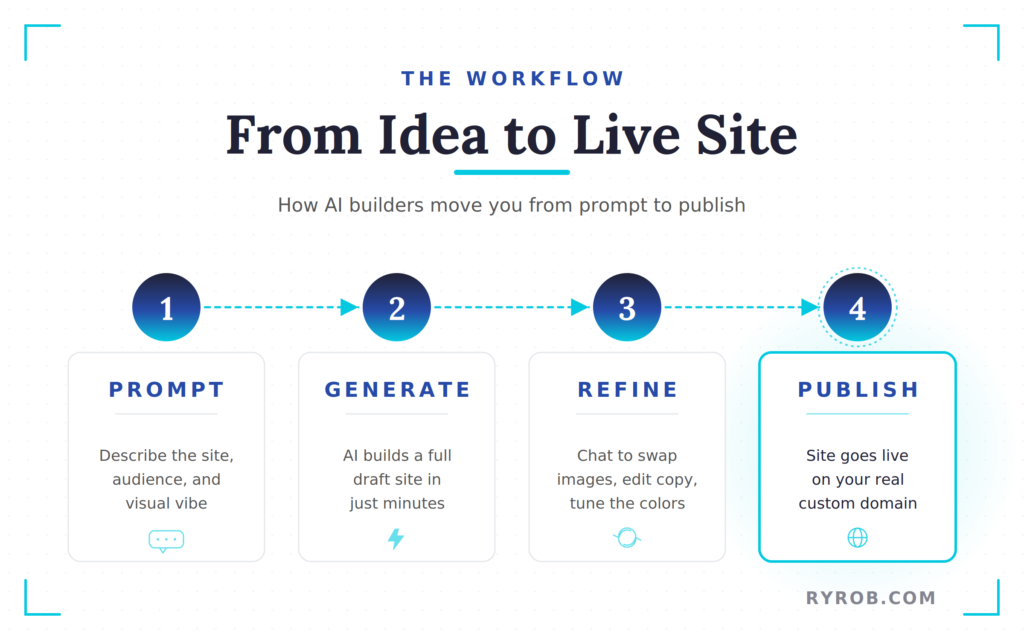
That is the first moment you realize how effective this tool is.
In the coffee shop example, the first version already had a believable structure and pulled in the bean-roasting detail from the prompt. It was not perfect, but it was good enough to feel publishable with a few edits.
Refining the Design Through Chat
This is where the tool becomes fun instead of frustrating.
Instead of digging through menus, you can type changes back into the chat. You can swap the hero image, change the color palette, add a map, or improve the booking section. This intuitive design customization allows you to update the brand name, adjust the tone of the copy, or change the layout on the fly.
In the demo, the first draft leaned too blue and the hero image did not fit the intended vibe. A quick prompt changed the design toward a warmer, greener, more minimalist coffee shop look with natural lighting and a friendlier feel.
That back-and-forth is the best part of the experience. It feels less like editing a website and more like giving feedback to a designer who moves fast.
If you want more context on how these tools stack up against the rest of the market, Tooltester’s AI website builder review is a useful read.
Publishing Your Website on a Real Domain
One detail I liked here is that the site does not end its life on some throwaway preview URL.
Because the domain gets set up at the beginning, when you are ready to publish, the site can go live on a real domain name. That is a big psychological shift.
You are not publishing a draft in a sandbox. You are publishing the professional website that people will visit, share, and put on a business card.
That also cuts out a common stall point. A lot of people can build half a website. Fewer people finish all the domain, hosting, and launch steps that make it feel official.
Remixer makes that final stretch much shorter.
Why Previewing Before Publish Still Matters
Even with a fast AI builder, you still need a final pass before the business-ready website goes live.
Measure twice, publish once.
Click through every page. Read the copy out loud. Open it on your phone to ensure you have a mobile-friendly site that looks great across all devices.
Make sure the sections flow in the right order and that your responsive design holds up correctly when viewed on different screen sizes.
This step does not take long, but it matters. AI can get you 80 percent of the way there in a hurry. The last 20 percent is where you catch awkward wording, missing details, or layout issues that would have bugged you later.
And if you want to make smaller page-specific edits the old-fashioned way, Remixer includes an edit mode for that too. So if your menu price changes or you want to fine-tune a section manually, you can.
When AI Website Builders Are the Right Fit, and When They Are NOT
This is the part people skip when they are trying to sell you on a tool. Not every website should be built this way.
AI website builders are great when your goal is to get online fast with a clean, credible site. They are not the answer to every website project on Earth. Knowing the difference will save you time, money, and a lot of second guessing later.
Best Use Cases for Fast, Simple Sites
Remixer makes the most sense for sites that are mostly about communicating information clearly. Using an AI website generator is a strategic choice for small businesses, startups, and anyone needing high-converting landing pages quickly.
If the main job of the site is to explain what you do, show people how to contact you, and help you look legitimate online, this kind of builder is a strong fit.
These are the projects where speed matters most. A site that goes live this week is far more useful than a perfect site that stays parked in your notes app for three months.
There is also an SEO angle here. A well-structured starter site gives you a solid base for getting found, especially when paired with built-in SEO tools and basic marketing tools to help you grow your reach.
If you are still weighing your options, here is a broader look at choosing the right website builder.
When WordPress Still Makes More Sense
Some sites need more room to grow.
If you are building a complex membership site, a large e-commerce store requiring secure payment integration, a content-heavy blog, or something with custom workflows and advanced functionality, WordPress is still the better bet. That is where flexibility wins over speed.
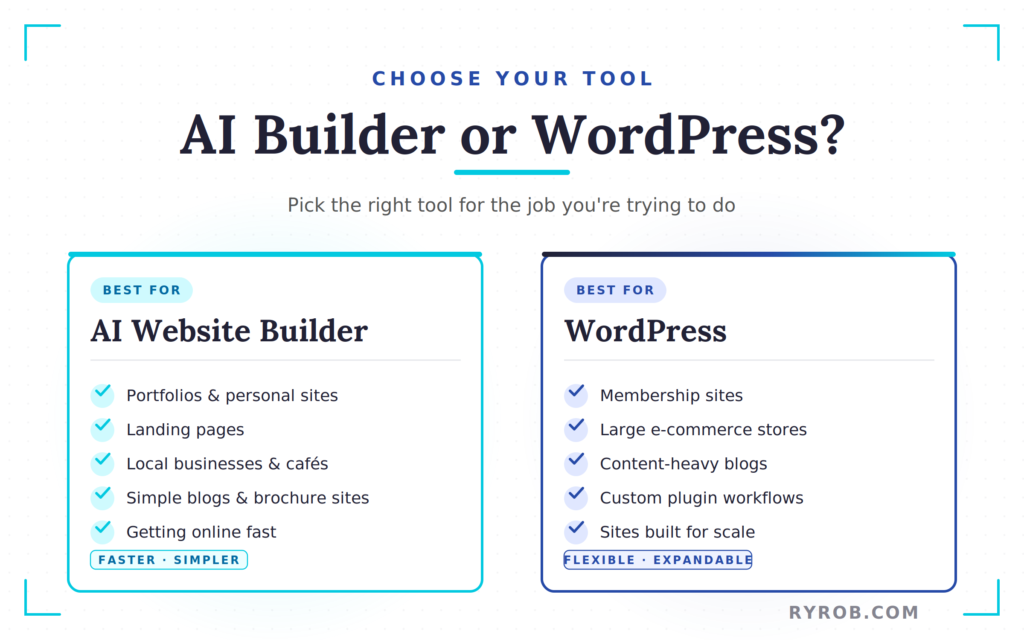
DreamHost’s answer for that side of the spectrum is Liftoff, which builds inside WordPress instead of outside it. It is still AI-assisted, but it is aimed at people who need a more expandable setup.
If you are heading in that direction, you will want to get comfortable with the WordPress side of the house. This guide on how to install WordPress is a solid place to start.
The right tool depends on the job. That is not a cop-out; it is the truth.
FAQs About Building a Website With AI
Here are a few questions I’m asked often about building websites with AI and whether or not we’re really at a stage where it’s reasonable to take this approach every time.
Can AI Really Build a Website in 10 Minutes?
Yes, for a simple site, AI can build a website in 10 minutes or get you surprisingly close. The biggest time saver is that the technology allows you to create a website in minutes by starting with a full draft instead of a blank canvas.
You will still want a few extra minutes to review the copy, check the mobile layout, and make small edits before publishing.
Do I Need Design or Coding Skills to Use an AI Website Builder?
No, you do not need design or coding skills to use an AI website builder. You have no coding skills required, and you do not need to understand complex web design jargon to get a decent first version live.
What you do need is clarity. If you can describe your business well, you will get better results.
What’s the Biggest Factor in Getting Good Results?
Your prompt is the biggest factor in getting good results from an AI website builder. The more specific you are about your audience, style, pages, and business details through a natural language prompt, the better the AI can build something that feels like it belongs to you.
Can I Edit the Site After the AI Generates It?
Yes, you can edit the site after the AI generates it. With Remixer, you can keep refining the site through chat prompts, and there is also a manual edit option for more focused changes.
That is helpful for day-to-day updates like pricing, page copy, or swapping out sections later.
Should I Use AI for a Blog or Online Store?
Yes, an AI website builder is often a great choice for a basic blog or simple landing pages because it offers responsive design out of the box. However, for a large blog with lots of content, categories, plugins, and growth plans, I would still go with WordPress.
For a serious online store, the same logic applies. If the store is simple, AI may be enough. If the store is central to your business, you will want more control.
Final Thoughts on My Dreamhost Remixer Review & AI Website Builders
The hardest part of launching a professional website has never been pressing the publish button. It is getting past the blank page, the pile of setup decisions, and the feeling that you need everything to be perfect before anyone can see it.
That is why tools like Remixer are so helpful. They do not replace your judgment, but they do remove a lot of the busywork between the initial idea and the official launch.
A good first draft is often enough to get started. Get your site live, learn from real visitors, and improve your content over time. A website that is online and a little rough around the edges always beats a polished one that never leaves your to-do list.
By leveraging these AI tools, you can establish a strong online presence more quickly and start growing your audience today.
Build and Launch a Website in Minutes: DreamHost Remixer
Create, customize, and publish a website without spending hours tweaking layouts and design settings. If you’d like to test it yourself, DreamHost is offering my readers a 30-day free trial with no credit card required!
Disclaimer: This story is auto-aggregated by a computer program and has not been created or edited by budgetbuddy.
Publisher: Source link
Publisher: Source link