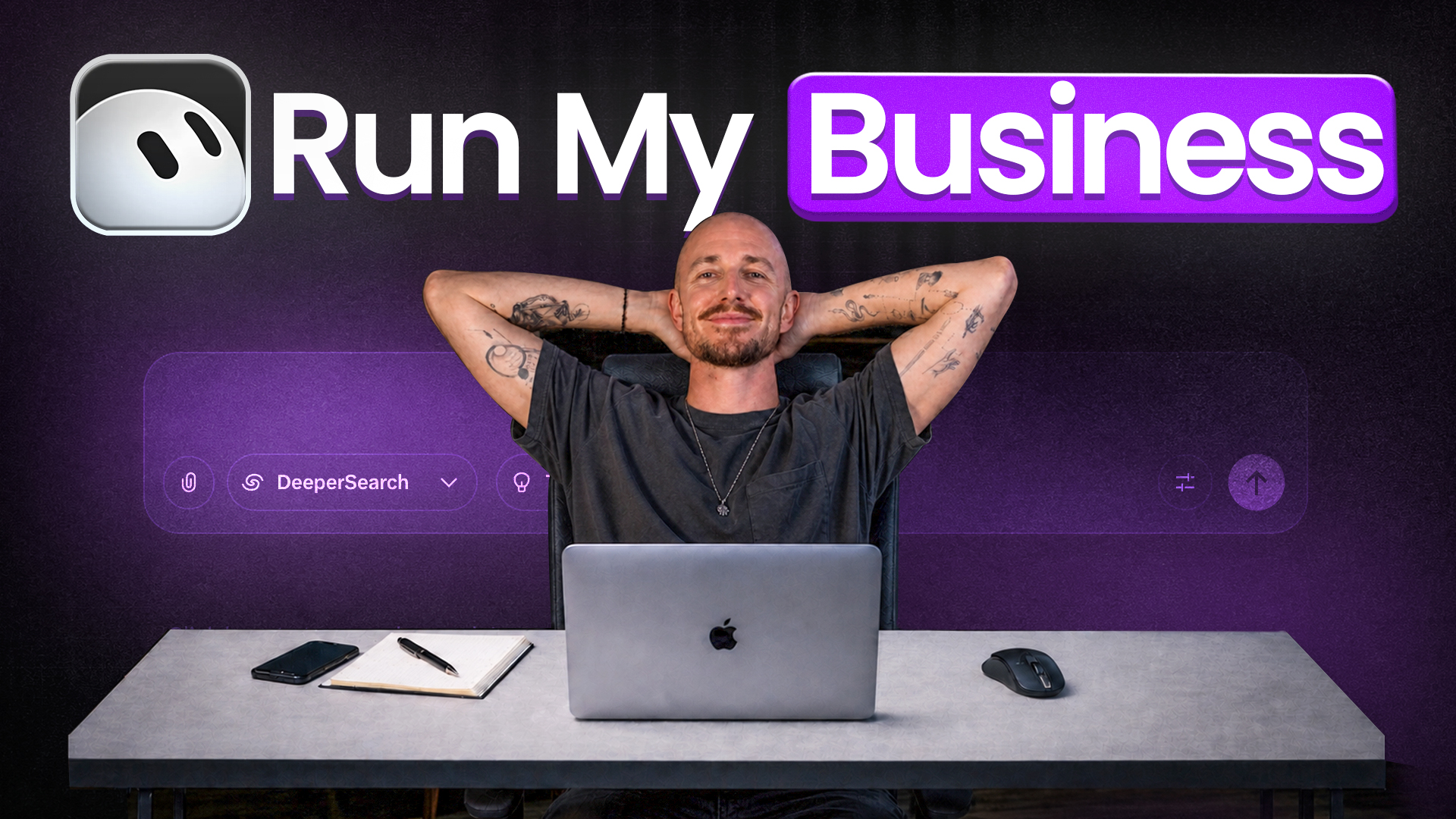
Six employees, twenty dollars a month… and not one of them is human. That’s the pitch flying around AI circles right now, and I wanted to see if it held up. So I set out to build a team of AI agents in Grok Bot and put them to work on a real YouTube channel.
You’ve probably seen the two camps already. Half the internet sells the dream of agents that do your job forever, and the other half calls it another overhyped trend. Here’s the walkthrough I recorded while building it out:
Key Takeaways on Building a Team of AI Agents in Grok Bot
- Grok Bot operates as an AI agent app, a single app that runs continuously on cloud servers.
- Subscription access comes bundled with other plans. These include Cursor Pro at twenty dollars a month and Super Grok at thirty dollars a month.
- Building a single super bot always fails because its instructions and memory get jumbled together.
- Giving each agent one specific job keeps instructions short and prevents messy memory errors across workflows.
- A shared cloud computer means agents lack a strict security boundary, so never connect tools that spend money or publish automatically.
- Starting with a single analytics or research agent helps you test the system before scaling up to a full team of six.
Not Ready for a Full Bot Team? Try GatorClaw
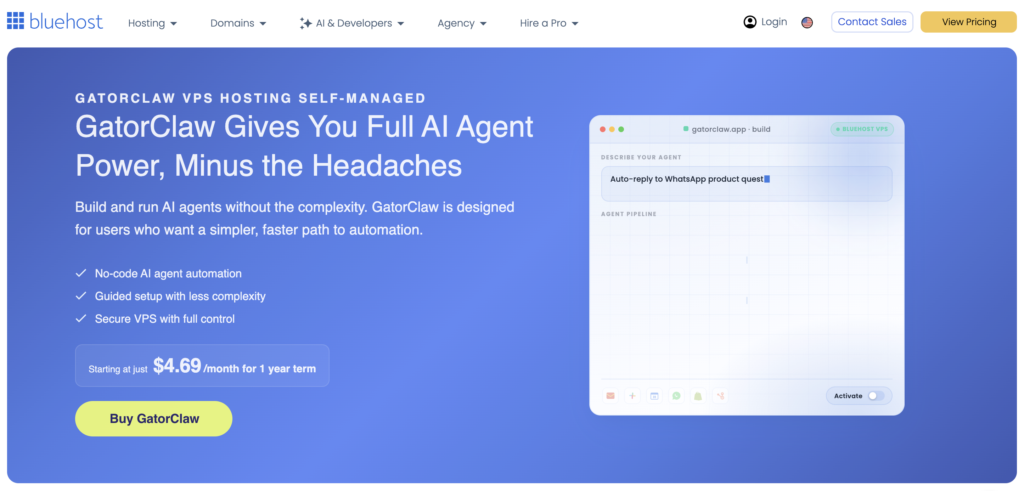
Setting up a team like this is a fun project when you’re ready for it. For your first agent, GatorClaw keeps things simple: describe the task, connect your apps, turn it on. It’s the easiest starting point I’ve found for anyone who’d rather skip the code.
What Is Grok Bot and How Do Its AI Agents Actually Work?
Grok Bot is an AI agent app where a team of bots lives in one place and works like a group chat. You give each agent a name and a specific job through the desktop and mobile app.
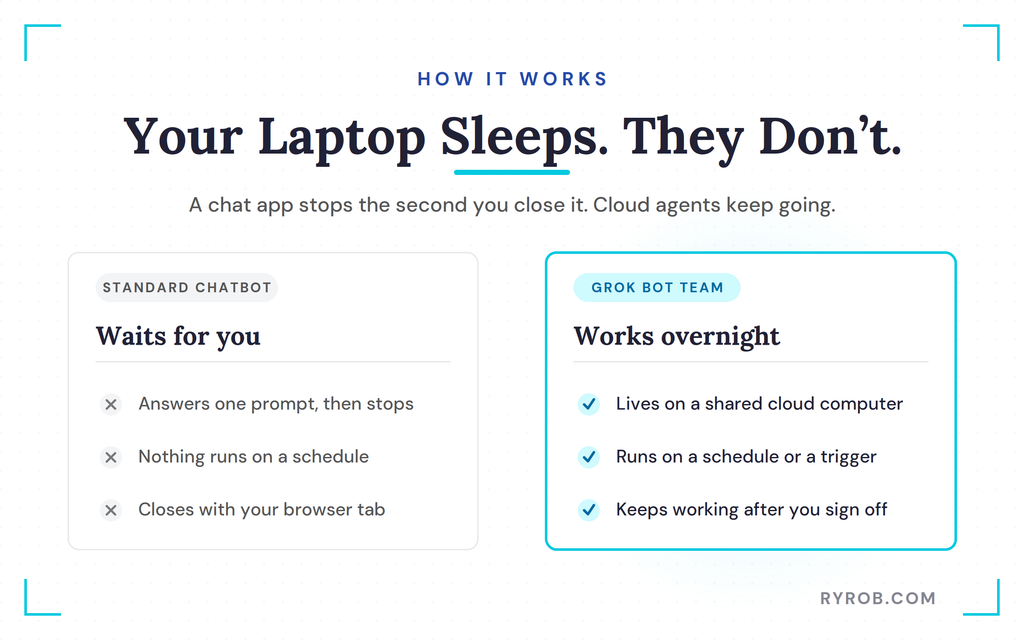
The system runs on a shared cloud computer, so the work keeps going after you power down for the night. That’s the big split from a normal desktop chat app, which stops the second you close it.
The Group Chat That Keeps Working While You Sleep
When you open the app and sign in, you get an empty space that’s ready for your new team. These bots sign into your real tools the same way you would, using an actual web browser.
Because they run on a cloud computer, you can close your laptop at night and they keep working in the background.
How AI Agents Differ From a Standard Chatbot
A standard chatbot waits for you to ask something, gives you an answer, and stops right there. An agent is built to carry out an ongoing job on a schedule or a trigger, and its instructions define how it behaves.
From there it pulls information from your connected tools and takes action on its own, without needing a fresh prompt for every small step.
Why Agent-to-Agent Communication Is the Real Shift
The most interesting part of this setup is that the agents can talk to each other and pass work back and forth without you managing every handoff. A research bot can hand a topic straight to a scripting bot, while a manager bot keeps you out of the day-to-day weeds.
You still need real oversight, though, because handing the keys to a bunch of agents with no quality checks gets sloppy fast. If you want to see this idea on a smaller scale, I broke down how I run a no-code AI agent that drafts work for me while I sleep.
Grok Bot Pricing: What You Pay and What You Get
Pricing causes a lot of confusion because there’s no standalone Grok Bot subscription you can purchase on its own. Grok Bot is part of the Cursor ecosystem of developer tools, so it comes bundled with other software subscriptions.
You need to know what you get for your money before diving in. Detailed breakdowns like Grok Bot pricing and access limits outline how these tiers function across different platforms.
Cursor Pro vs Super Grok: Which Plan Do You Need?
There are two ways in, and both cover everything you need to build your team. The cheaper route is Cursor Pro at twenty dollars a month, which gets you Grok Bot access, its own computer environment, and routines that run on a schedule.
The other route is Super Grok at thirty dollars a month. That one adds the Grok 4.6 model, higher usage limits, and image and video generation on top.
The Usage Limits Nobody Warns You About
That monthly fee doesn’t buy unlimited usage. Each plan includes a weekly allowance, and once you blow through it you move straight onto on-demand pricing.
Six bots running complex schedules can chew through a week’s allowance in a single afternoon. Set yourself a reminder to check your usage early on, so a surprise overage bill doesn’t catch you off guard.
How to Build a Team of AI Agents in Grok Bot
Setting up your first team takes a specific approach if you want to avoid chaos. You need clear roles and enough context up front so your agents aren’t stuck asking you basic questions all day.
It also helps to lean on the same kind of AI content workflow I walk through in my full guide to AI blogging, since your bots are doing that same work for you.
Why One Super Bot Always Fails
Your first instinct is usually to build one massive super bot that handles everything. It might seem great for a few days, but it starts making mistakes, and those errors cascade until you’ve got a runaway train of wrong information.
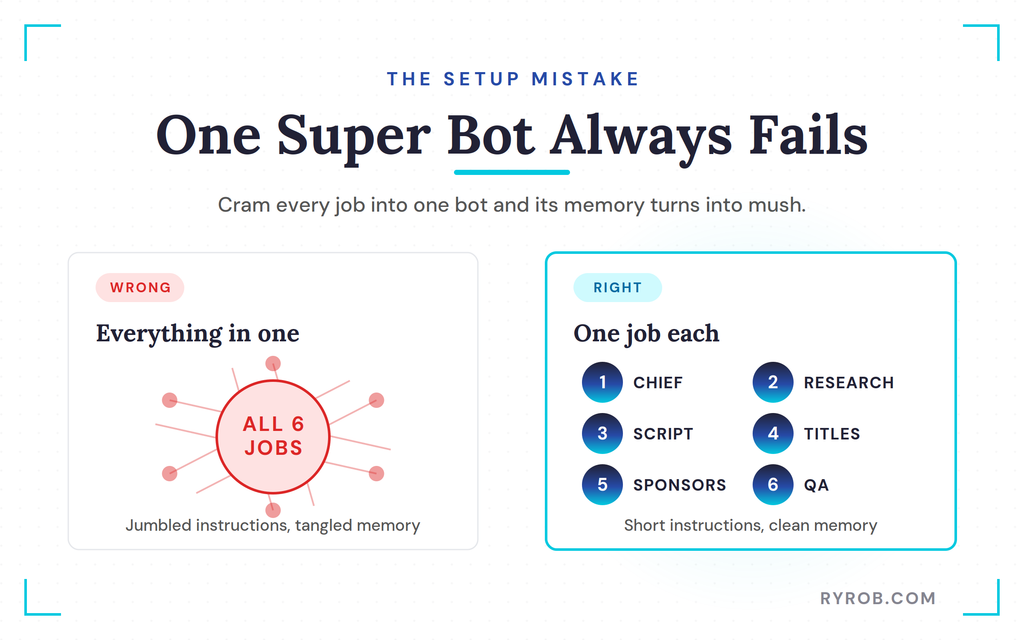
Every bot runs on two things, its instructions and its memory. Cram every job into one and those instructions turn into a jumbled mess while its memory fills with unrelated work.
The fix is to treat your setup like a real staff and give each bot one job.
Start With a Chief of Staff and a Research Bot
Your chief of staff is the only bot you message day-to-day, keeping you out of the weeds of managing six separate agents. Attach a one-page brief about your business or channel to prevent it from asking basic questions.
You can teach a task to one bot at a time, then use reverse prompting so it asks clarifying questions before it starts. Next, build a research bot to scan for fresh ideas on a schedule, and seed your topics with a free AI YouTube video idea generator.
Add a strict constraint so the research bot only sends genuinely strong ideas instead of spamming you with busy work.
Add a Scripting Bot and a Packaging Bot
Your third bot handles writing outlines and first drafts, guided by a strict voice document and a rule to never invent facts or numbers. For structuring your content, an AI YouTube script generator provides a solid foundation.
Pair this with a fourth bot focused on packaging, which studies what works on your channel. It uses an AI YouTube title generator to draft compelling titles and thumbnail concepts once the script is finished.
This is where multi-step workflows matter, since each bot hands off to the next.
Round Out the Team With a Money Bot and a QA Bot
The fifth bot handles email outreach and sponsor communication, which is the side that actually makes money. It drafts the outreach and queues follow-ups, but nothing sends until you approve it.
You can teach this bot the task once and let it repeat the pattern from there. The sixth bot is your quality assurance and analytics engine, telling you what’s really working as you go so you know what to double down on.
Running all six at once can burn through usage fast. If you can only build one, start with that analytics agent, because it tells you the truth about how your recent content is performing.
What the First Finished Script Actually Looked Like
Running the six-bot team spat out a complete package, including a pre-shoot checklist, a spoken script, notes on visual screen beats, and instructions for my editor.
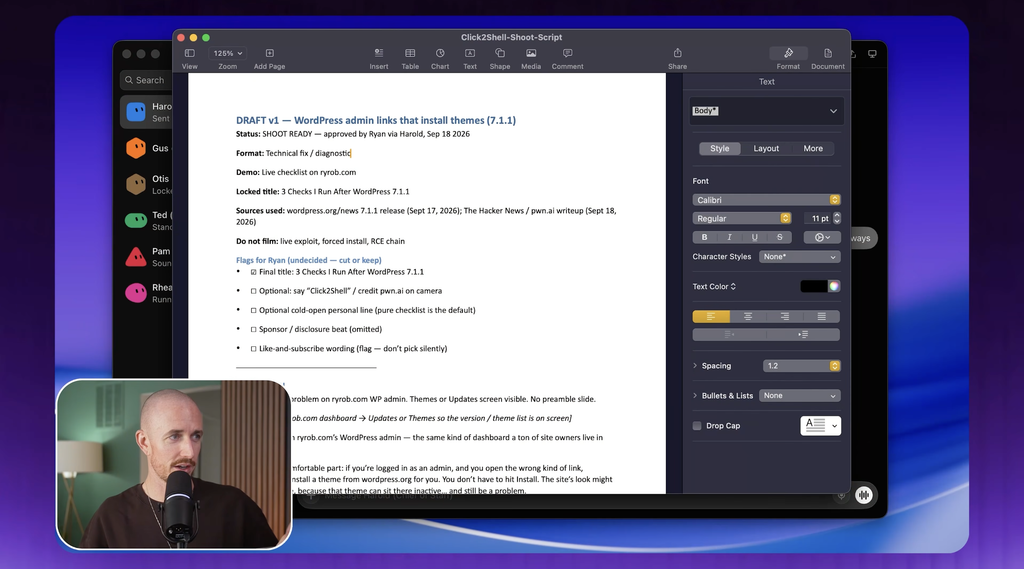
The brief scored a solid A-minus, because it matched my voice guidelines and structured everything sensibly. I still made my own edits and refinements… but the heavy lifting of the first draft happened in minutes.
Does Grok Bot Actually Deliver? Real Results, Risks, and Guardrails
An AI agent app like Grok Bot has real upside. It also comes with trade-offs you want to weigh before you hand over your daily workflow.
The Convenience Tradeoff
What you are actually buying with Grok Bot is pure convenience, and convenience is worth paying for if it saves you hours of friction. These agents will not magically generate millions of dollars overnight, but they smooth out annoying choke points in your content pipeline.
If you enjoy technical tinkering, open source automation tools offer a cheaper route, and you can even build your own custom tools if that’s your thing.
But if manual setup sounds like a nightmare, a managed app is the easiest on-ramp, and it’s one of the smarter ways to use AI for small business without hiring a team.
Security and Guardrails You Should Not Skip
Every bot runs on a single shared cloud computer, and the official documentation notes that these bots do not form a strict security boundary. Research highlighted in the Agents of Chaos study emphasizes how autonomous systems face risks when given broad access.
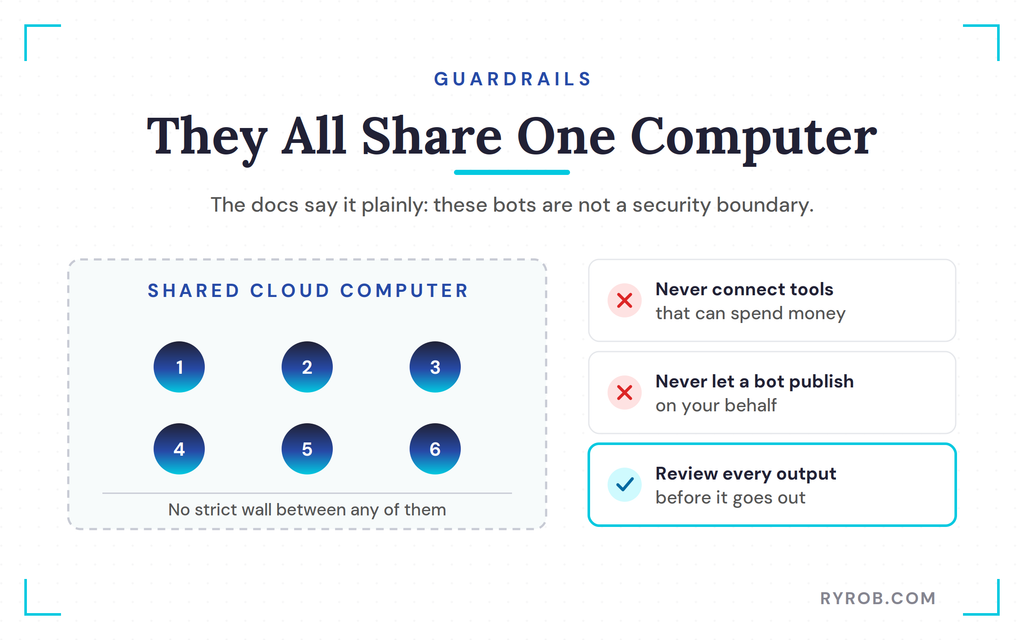
A weak system prompt or loose plugin connections can widen that exposure. Never connect tools that can spend money or publish on your behalf without human approval, and always review your bots’ outputs before anything goes out.
Is the Convenience Worth It If You Are Starting From Zero?
Don’t try to build six bots on day one. Build one first, something like an analytics agent that reviews your recent performance and tells you the truth.
Once that agent earns its keep, layer in a second, and start handing over the more repetitive parts of your process from there.
FAQs About How to Build a Team of AI Agents in Grok Bot
A few quick answers to the questions I get asked most about running a team like this.
Is Grok Bot the Same Thing as Grok?
Grok Bot is a separate agent app you access through specific plan subscriptions, while Grok refers to the underlying AI model family.
How Many AI Agents Should I Start With?
Start with one agent that handles your most time-consuming bottleneck, like analytics or inbox outreach. Prove it saves you real time before you add anyone else to the team.
Can Grok Bot Agents Replace My Team or My Writing?
No. Agents handle routine busy work and first drafts, but human judgment, real stories, and personal tone are what make content actually connect, and no amount of prompting fully replaces that.
Do I Need Coding Skills to Use Grok Bot?
You don’t need to open a terminal or write a line of code. Setup is just downloading the app, signing in, and writing clear instructions for each bot, and you can even teach a task by walking the bot through it once.
Final Thoughts About Grok Bot’s AI Agents
Building a team of agents for twenty dollars a month sounds like a futuristic dream, but the reality is closer to practical convenience than magic. Treat your bots like real staff by giving each one a single job, keep tight guardrails around your accounts, and start with just one agent to test the water.
Pick the single most annoying bottleneck in your week, and set up one bot to handle it before you even think about a full team.
Not Ready for a Full Bot Team? Try GatorClaw
Setting up a team like this is a fun project when you’re ready for it. For your first agent, GatorClaw keeps things simple: describe the task, connect your apps, turn it on. It’s the easiest starting point I’ve found for anyone who’d rather skip the code.
Disclaimer: This story is auto-aggregated by a computer program and has not been created or edited by budgetbuddy.
Publisher: Source link
Publisher: Source link