
For years I sold the same online course, updated it once, and watched students finish it and quietly vanish… So I finally worked out how to migrate from Teachable to Circle and turn that course into a real online community.
That slow fade isn’t the students’ fault. It’s just how a one-time course works, and after a decade of it, I wanted something that kept people around. A community does exactly that, because members show up, talk to each other, and stick with you for months or even years.
The part that surprised me most was how little of it I had to do by hand. I leaned on Claude and Circle to move all 55 lessons across in a single afternoon, and here’s how the whole thing came together. Here’s the full video walkthrough of how I made the move:
Key Takeaways for Migrating Your Course From Teachable to Circle
- A course is a one-time sale, but a community is recurring. Members pay to keep showing up, which turns a single transaction into ongoing subscription revenue.
- Membership revenue compounds instead of resetting. Each month can add new members on top of the ones who stay, rather than dropping back to zero after a launch.
- AI did the heavy lifting. I used Claude to pull the content out of Teachable and Circle to build the community, which shrank the whole move to one afternoon.
- Your videos don’t need re-uploading. You can embed them straight from a Google Drive share link instead of moving heavy files around.
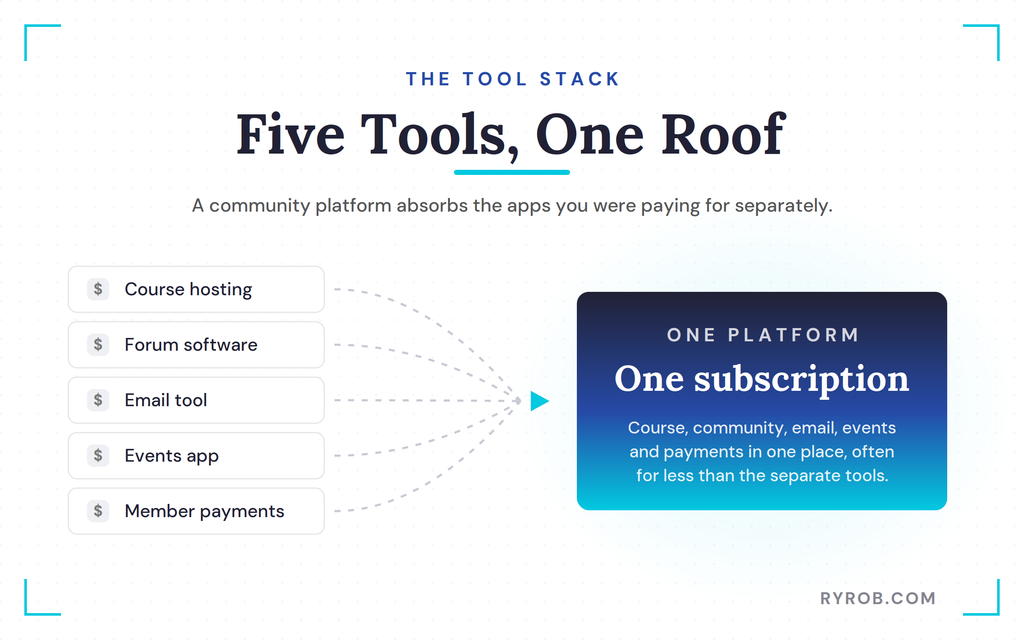
- One roof beats five tools. Running my course inside a community on Circle costs less than paying for standalone course hosting plus separate forum, email, and event apps.
- It isn’t for everyone. If you want a hands-off product and never plan to interact with students, a simple course platform is the easier path.
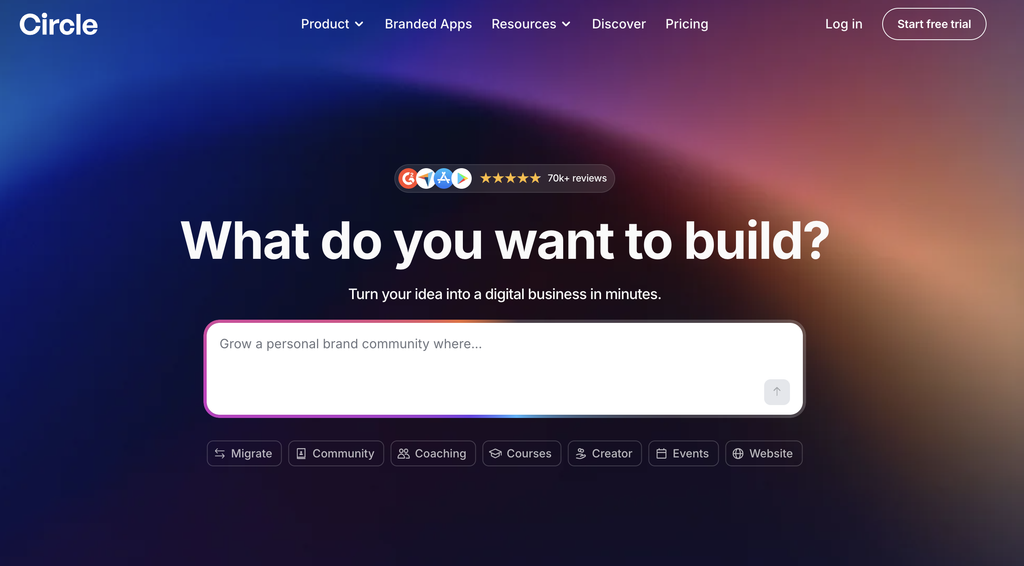
After a decade on Teachable, moving to Circle felt like finally running everything under one roof. It’s free to try, and signing up through my link drops 2,500 bonus AI credits into your account to get you going 👇
Why I Finally Ditched Teachable for a Community Model
I’d been sitting on this move for years, mostly out of fear that migrating years of course content would be a nightmare.
Before I rebuilt anything, I got clear on what my audience actually wanted, the same way I’d validate any business idea first. That clarity is what finally pushed me off the fence.
The Problem With Traditional Online Courses
When you sell a standalone course, the transaction is simple. People buy access, work through the material on their own, and usually vanish once they finish. That is not a knock on the students, it’s simply how static courses work.
As a traditional online course platform, Teachable makes it easy to publish modules, but static modules hurt long-term student engagement. That gap is exactly why I moved to Circle.
If you want to monetize your blog with a course, you quickly learn how exhausting the launch cycle is. Your revenue resets to near zero every month, so you’re stuck chasing new buyers just to stay level.
It’s a feast or famine rhythm that only holds up as long as you keep driving cold traffic to the page.
Shift to Recurring Subscription Revenue
A community business flips that dynamic entirely. Members join, show up, talk to each other, make friends, and build a real connection with you as the host. That connection is what keeps people around for months or years instead of vanishing after the last module.
When you create a dedicated community for your audience, you stop resetting to zero. Unlike an isolated Teachable school or a pre-recorded course, Circle gives that same audience a live place to gather in an ongoing value exchange.
With a Circle membership, you’re not just selling access anymore. You’re building a community that keeps members engaged month after month.
How to Migrate Your Course Content Using Claude
The migration comes down to a simple flow. Claude pulls everything out of Teachable, organizes it for you, and then you hand it to Circle to rebuild. The tedious slog of moving it all by hand never happened.
Pulling 55 Lessons Out of Teachable
My mega course contained 55 lessons packed with videos, worksheets, templates, and written text. The Teachable platform hasn’t changed much in a decade, and I didn’t want to spend hours doing a manual copy and paste marathon.
Before I started, I set up a clear migration plan, which mostly meant deciding what to bring into Circle and in what order. The written content was the piece I didn’t want to move by hand, so that’s where Claude came in.
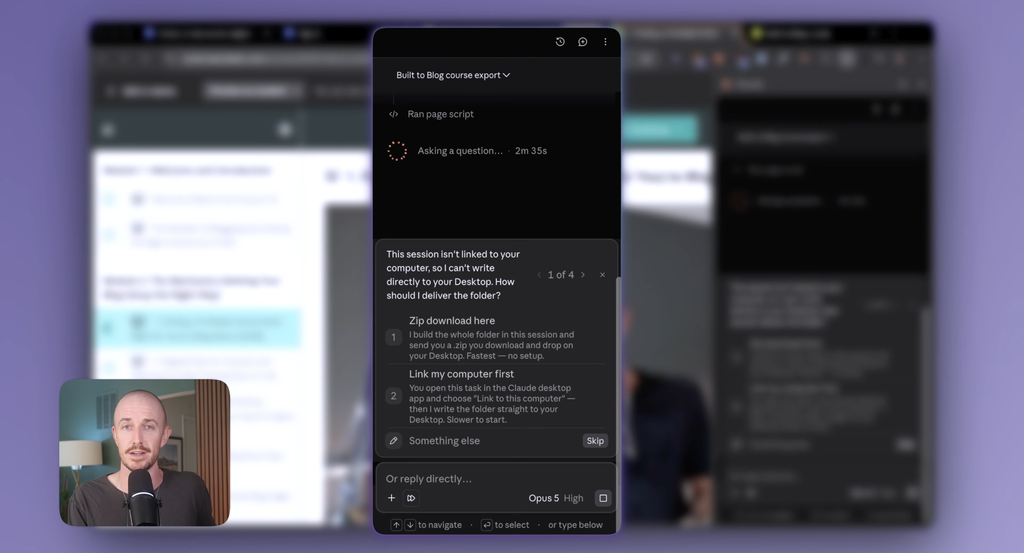
I tasked Claude with hopping into my browser, extracting all the lesson content and other course content, then saving it as labeled Markdown files. This made it easier to migrate from Teachable without a manual slog.
Organizing Markdown Files on Your Desktop
Claude dropped every piece of written content into one neat, labeled folder right on my desktop. Because the videos already lived in Google Drive, there were no heavy media transfers to babysit.
From there I could upload the organized files straight into Circle and keep moving. Automating the boring extraction step is the whole trick here.
If you want to start an online course business as a part-time, that saved time is what frees you up to set up the community itself instead of getting bogged down in busywork.
Letting Circle Build Your Community Spaces
While Claude handled my files, I hopped over to Circle to start the buildout. What surprised me was how much of the structure the AI put together on its own while I did other things.
Generating the Core Structure
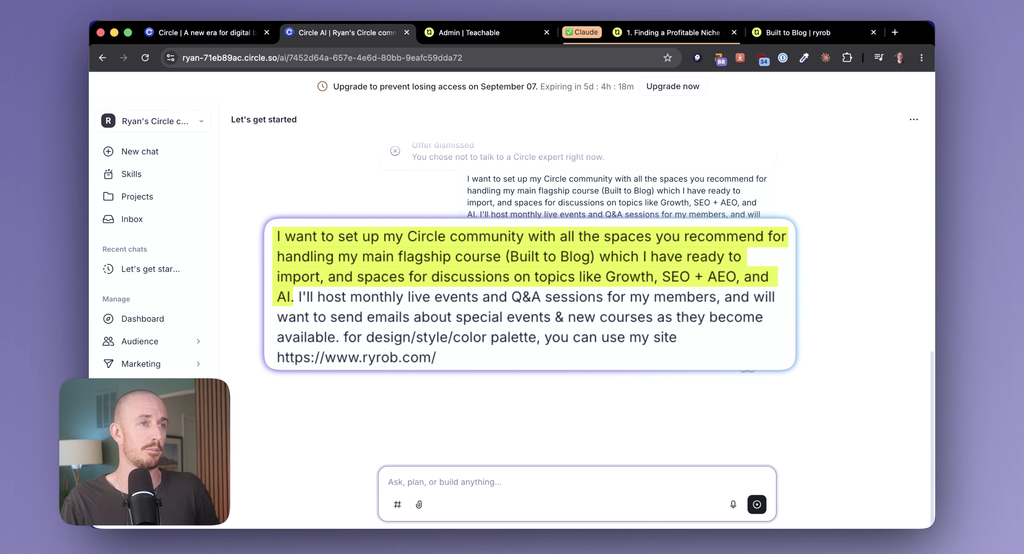
I signed into my new space and gave Circle a description of what I wanted my community to be. It is a modern community platform, so the setup felt familiar right away.
Getting started is straightforward, and it’s free to try. I even grabbed you 2,500 bonus AI credits if you sign up through me. The AI immediately started spinning up discussion spaces, welcome flows, and the entire skeleton of my new business.
From there I explored what else the platform could do. The one that stood out most was native live streaming, which is perfect for the weekly calls and live events I want to run with members.
Dialing In Your Profile and Branding
Circle analyzed my setup and asked what I wanted to call the community. I used a placeholder name while I got the bones in place. Circle also lets you connect a custom domain, so the space can live at your own URL when you’re ready.
If you don’t have one yet, my free domain name generator can help you find an available one in seconds.
Next, I personalized my profile by adding my photo and location details, which helps when hosting local events. I also uploaded my logos, making sure to use a white logo that fits nicely when users toggle over to dark mode.
From there, you can set up a dedicated sales page and prepare the space for an official launch event, which is exactly where I’m headed next.
Importing Lessons and Embedding Video Files
With the structure ready, the last job was getting my course inside it. This turned out to be the easiest part of the whole day.
Uploading Markdown Files Into Circle
Rather than guess at the best upload method, I asked Circle directly, and it told me I could feed the Markdown files straight into its chat interface.
I started with Module 1, and Circle reviewed the files and generated a precise plan to build out the lessons. It nailed the formatting on the first pass.
Connecting Google Drive Media Links
With the text in place, I needed to attach the corresponding video files. I grabbed the share links from my Google Drive folder and pasted them directly into Circle’s lesson editor.
After setting the lessons to published, students could immediately access the course content. That unified video and text feed elevates the student experience.
Just like courses with community and accountability, everything lived in an all-in-one platform instead of being duct-taped across five different tools. Circle also supports self-paced modules and guided cohort courses, and its workflow automations can drip lessons after enrollment if you want to set that up later.
Here’s why the whole move matters beyond the tech. It changes the shape of your revenue and, honestly, the shape of your business.
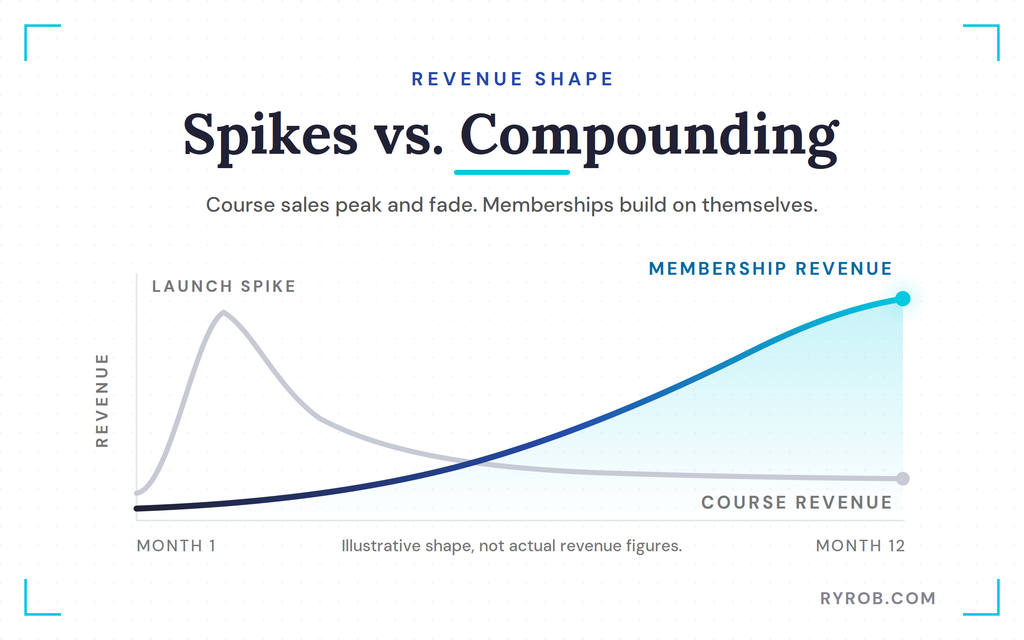
Compounding Revenue Versus Launch Spikes
Course revenue always leads early on because of that initial launch spike. However, it flattens out quickly as the content ages and new buyers slow down. Relying on an evergreen sales page alone can create the same fatigue.
Memberships on Circle work in reverse. They start smaller, but they compound every single month as new members join and existing ones stick around. Circle makes that predictable growth easier to track than a single launch event.
When a Course Platform Is Still Enough
To be fair, migrating away from a traditional platform isn’t the right move for every creator. If your goal is to sell one finished course, never touch it again, and avoid direct engagement, a simple course platform is easier. A community is something you have to show up for, or hand off to moderators who keep conversations flowing.
That peer accountability sustains student engagement in a way a static course often can’t. For me, the whole point was that I want people to stick around instead of finishing and disappearing.
My members are my best source of ideas for what to teach next, and it took me a few years to realize a community is simply more aligned with the goals I actually have.
FAQs About Migrating Your Course From Teachable to Circle
A few quick answers to the questions I hear most about making this move.
How long does it take to move a course from Teachable to Circle?
You can knock out the entire migration in a single afternoon if you use AI tools like Claude to extract your text content and Circle to generate your community structure. That combination is what removes almost all of the manual work.
Can you use AI to migrate a course from Teachable to Circle?
Yes, and it’s what made the whole move so fast. I used Claude to hop into my browser and extract all my lesson content into organized Markdown files, then handed those to Circle, which built out the community and lessons for me.
That combination is what turned a job I’d dreaded for years into something I finished in one sitting.
Do I need to re-upload all my video files?
No. You can keep your video files stored securely in cloud storage like Google Drive and simply embed the media links directly into your new Circle course lessons.
How do I export my student list from Teachable?
Teachable lets you export your student data from your dashboard, so your records aren’t locked in when you move. In my own migration, I focused on getting the course content across with Claude and rebuilding the community in Circle.
For the student list itself, check Circle’s current migration options for the best way to bring members over.
Is Circle more expensive than Teachable?
In many cases, running your course and your community under one roof on Circle actually costs less than paying for standalone course hosting plus separate forum software.
Should every course creator switch to a community model?
Not necessarily. If you prefer a completely hands-off product where you never interact with students, a traditional standalone course platform is a better fit.
Final Thoughts on Building a Community Business
It took me years to realize my true goal was never just selling a finished product and walking away. The real value comes from giving people a reason to stick around, learn together, and help shape where the business goes next.
A community with courses inside it is a far more sustainable model for most creators, as long as you’re willing to show up. That’s exactly why building in Circle felt so different from my old setup. It gives you room to grow well beyond a one-time course sale, with regular video drops, chat sessions, and live events along the way.
After a decade on Teachable, moving to Circle felt like finally running everything under one roof. It’s free to try, and signing up through my link drops 2,500 bonus AI credits into your account to get you going 👇
Disclaimer: This story is auto-aggregated by a computer program and has not been created or edited by budgetbuddy.
Publisher: Source link
Publisher: Source link