
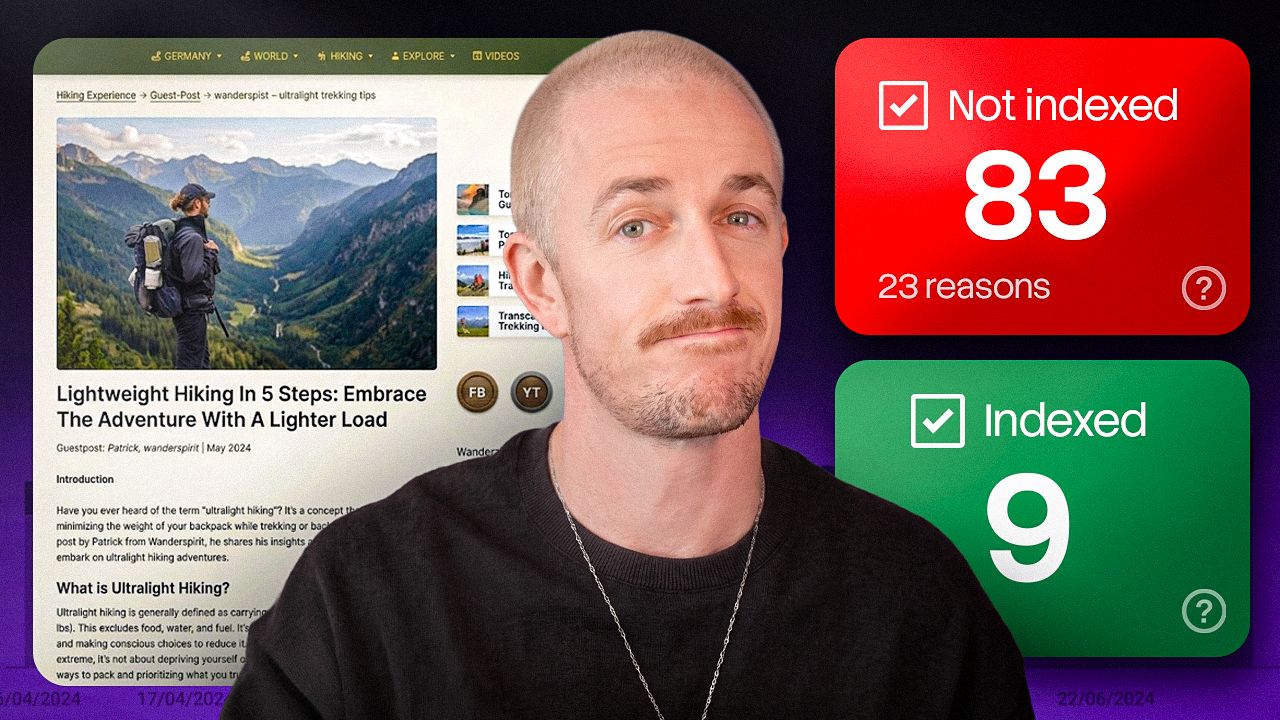
Some of my blog posts are ghosts. They’re live, you can click right to them, but as far as Google’s concerned they may as well not exist. They’re stuck in a status called crawled, currently not indexed, which is a fancy way of saying Google read them and shrugged.
I used to think that was a quick technical glitch I could patch in five minutes. Turns out it’s not, at least not anymore, so I went digging and roasted a few of my own worst posts along the way.
The crawled, currently not indexed fix I came out with actually works, and it’s simpler than you’d think. I’ll cover quality versus technical problems, the AI gut check I run on stuck pages, and the changes that get Google to say yes.
Here’s my full video walking you through how I diagnose and fix these stuck pages:
Key Takeaways for Fixing Crawled, Currently Not Indexed Pages
- Crawled is not the same as indexed. Google knowing a URL exists doesn’t mean it made the cut, and crawled, currently not indexed leaves your content invisible to both traditional search and AI answers.
- The rules quietly changed. The web got flooded with generic AI content, so search engines now act like a strict bouncer checking your ID against a curated guest list.
- Rule out the technical traps first. Run your URLs through the Search Console inspection tool to catch boring issues like accidental noindex tags or broken sitemaps.
- Use an AI assistant as a mirror. It’ll honestly tell you whether your draft reads just like the thousand other pages already covering the topic.
- Add what nobody else can. Inject firsthand proof, original photos, unique data, and real user questions before you request re-indexing.
Free Sitemap Checker: Test Your Site’s SEO Health
Check your sitemap and run a free technical SEO health audit in seconds. Spot crawl errors, broken URLs, and indexing issues before Google does, and get your report emailed with steps on how to fix.
Why Google Leaves Your Pages Crawled, Currently Not Indexed
So why is this happening to more sites and more pages? The rules quietly changed. A few years ago, if a page wasn’t indexing, you could usually fix it with technical duct tape.
You’d tidy up a canonical, bump your site speed, add a few internal links, resubmit, and boom. That playbook is running out of gas today, and for good reason.
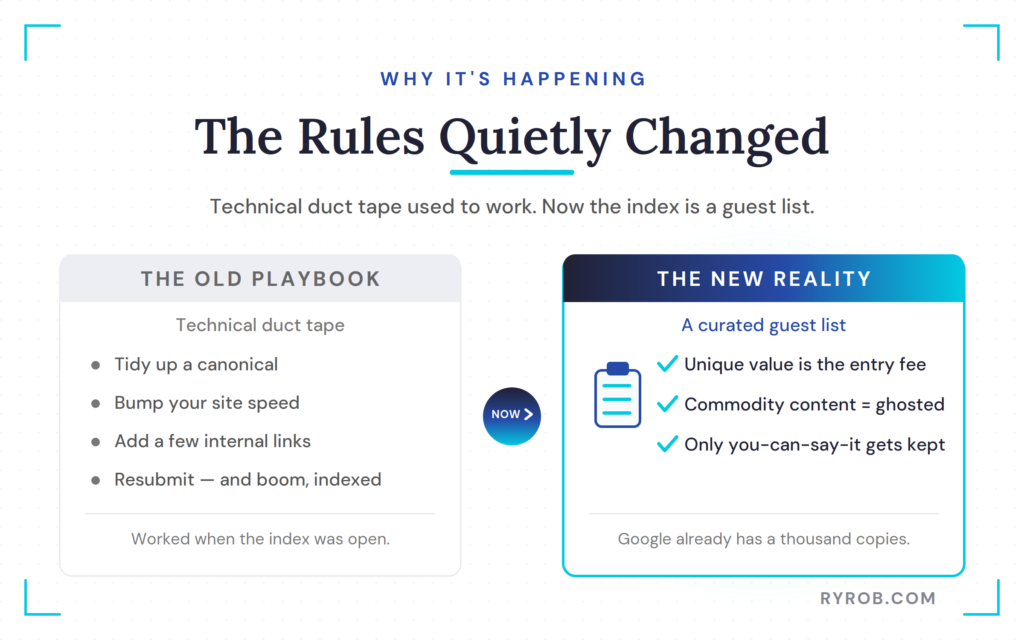
The web got flooded, and let’s be honest, a lot of that flood is AI-generated slop. So Google’s index isn’t an open archive anymore. It’s a curated guest list, a bouncer with a clipboard, and the single biggest thing that gets you left off the list is what’s called commodity content.
The Danger of Commodity Content
When your page says something genuinely fresh, your own data, your own screenshots, your actual opinions, your ghostability factor is low. Google’s got a reason to keep it because it’s unique content.
But as more pages deliver commodity content that says the exact same thing the exact same way because they use the exact same AI tools, your ghostability risk goes through the roof. This is the we’ve seen this a thousand times zone that you do not want to be in because Google doesn’t need your version. It’s got a thousand versions already.
This, my friends, is where a horrifying number of my pages now live, weighed down by duplicate content and recycled commodity content.
Common Technical Traps to Rule Out First
Before you nuke all your old posts in a shame spiral, one important thing. It’s usually a quality problem, but not always. Sometimes it’s the boring technical stuff, so diagnose before you panic.
On the quality side, you’ve got the big three.
- Commodity content, the one we just met.
- Thin content, where you answer half the question and kind of bail.
- Intent mismatch, where people wanted a tool or a video and you handed them a two-thousand-word essay nobody asked for.
Over on the technical side, sometimes your page is totally fine and something is just quietly waving Google off. A few usual suspects show up here.
- An accidental noindex tag.
- A canonical pointing at the wrong page.
- An orphaned page that nothing on your site links to, so it looks like an afterthought even to you.
How to Run a Complete URL Inspection
The move here is simple. Run the URL through the URL Inspection tool in Google Search Console first, and it’ll literally tell you why it’s excluded. If it comes back technically clean, then I’m sorry, but it’s a you problem.
That’s a quality call, which is exactly what I needed to confirm on my beige little hiking post. So I grabbed the link to the post from the address bar and brought it back over to Search Console.
Up near the top, you can inspect any URL on your site. I pasted the link in and hit enter. Now it’s retrieving the post from Google’s live index, and it confirms the URL is not on Google. The page is not indexed.
Checking the Live Index Status
Before you hit test live URL or request indexing, take a moment to scroll through and make sense of why it’s not being indexed. You’ll see crawled, currently not indexed listed as the category reason.
One of the primary reasons here is that there’s no referring sitemap detected, so this post isn’t in my sitemap properly. It does have referring pages from other posts across my blog, so there are some internal links, but something is still off.
Googlebot did crawl this page in the last few weeks, and the crawl was allowed and even successful. So we’re left with one technical thing to investigate before we go down the quality rabbit hole.
Validating Your Sitemap Setup
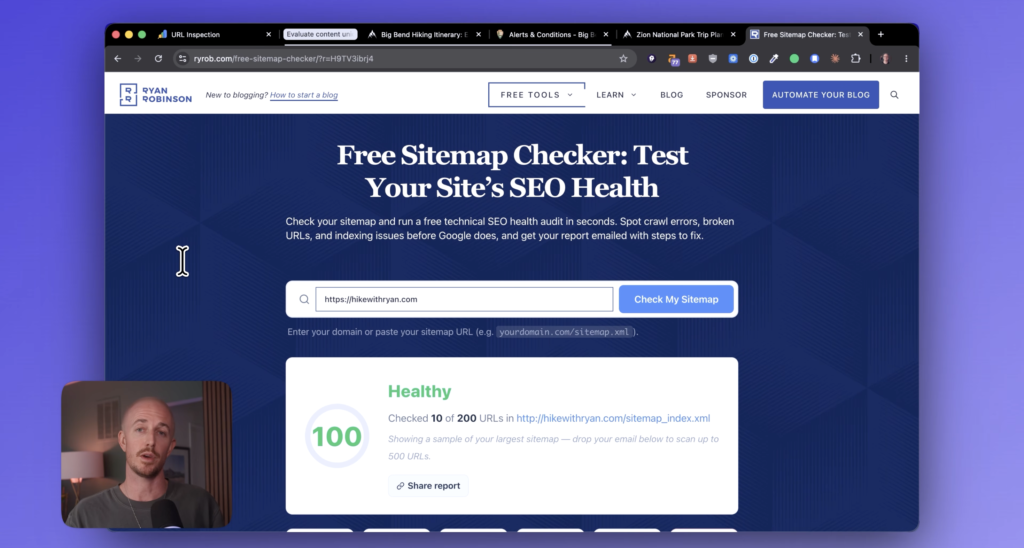
First, I need to check whether this post is in my XML sitemap and Google’s just not picking it up. If you’re on WordPress, plugins like Yoast SEO are great at generating sitemaps, so you can pull yours up right now and scan for the post that isn’t indexing.
If it’s there, you’re back to a quality issue. On this one, I confirmed it’s a quality issue, because I found it sitting in my sitemap just fine.I also have a free sitemap checker that finds it for you and flags any indexing issues in seconds.
If you want to understand more about what it means when Google has crawled your page but hasn’t indexed it, your page indexing report is a great first stop.
How to Fix Ghosted Pages With AI
Once you’ve got a page stuck in crawled, currently not indexed and you’ve double-checked the technical stuff, here’s my simple trick, and it’s stupidly effective.
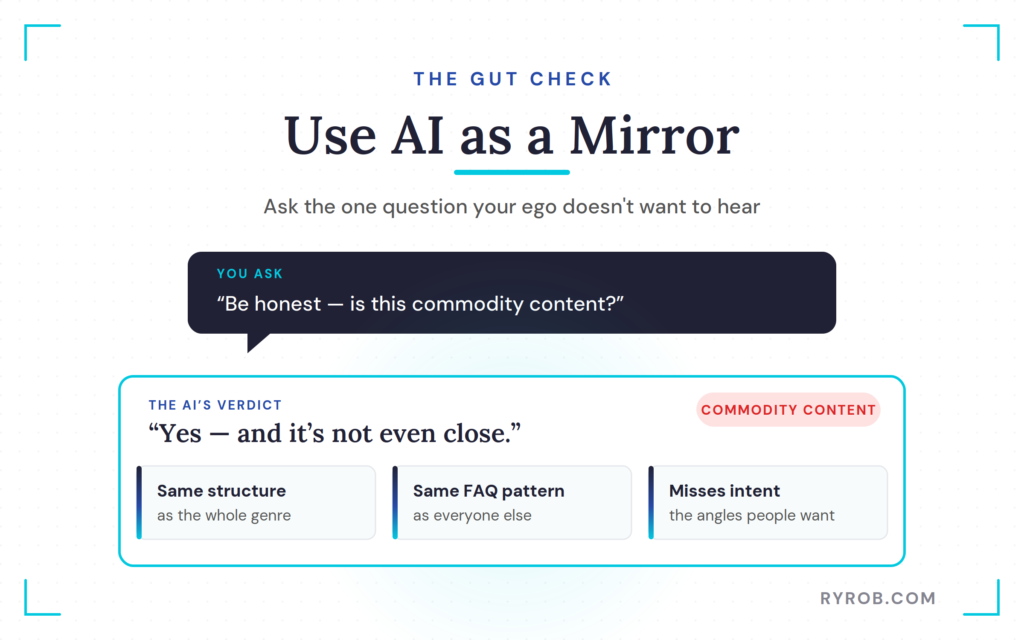
Open up the stuck page, then pull up an AI right there in your browser sidebar. I like Claude, but use whatever you prefer.
Then ask it the one question. Something like, “Be honest. Is this commodity content? Do a lot of other pages already cover this in the exact same way?”
Asking the Hard Questions
Right away, Claude gets to work, navigating to a Google search for the term and crawling the other pages currently ranking for it. So it’s comparing my post to the real stuff already sitting at the top of the results.
And it does not spare my feelings. It says, “Being straightforward with you, yes, this reads as commodity content, and it’s not even close.” Cool. Thanks. Hate it, but you’re not wrong.
It gives me more context on why, noting that the structural pattern is identical across the genre, which is a polite way of saying I’m not doing anything interesting here. It wraps up with the same trails, same structure, and same FAQ pattern as the rest of the field, and points out that it completely fails to match search intent because it misses the angles people actually want.
That’s the reason it’s sitting in crawled, currently not indexed.
Adding Firsthand Proof and Unique Data
I want to make a point about why this works. It’s not that the AI suddenly understands SEO better than I do. It just holds up a mirror and shows you the pattern you’ve stopped noticing in your own content, because it’s easy to get numb to your own oatmeal.
So next I asked what would make this post worth indexing, and for a clear plan of action. Claude went and researched what would actually set the post apart from everything else out there.
It came back with real gaps. Reddit threads keep asking the same handful of things this kind of post never answers well, like what to do if you only get a partial arrival day, lodge versus camping trade-offs, and whether the hot springs are worth the drive.
That’s genuinely actionable stuff most pages are fumbling. Here’s the plan it handed me:
- Replace the boilerplate FAQs with real questions people actually ask.
- Make the current conditions genuinely live, not just dated.
- Add real firsthand proof, like the photos from the trip I actually took.
- Build something calculable nobody else does well, like drive times and mileage between every stop.
How to Request Re-Indexing Successfully
I liked Claude’s plan, so I told it to draft it. Now I’ve got my homework, and I’m rewriting the post. Same topic, totally different page.
Instead of generic tips, it’s real, with my actual photos from that hike and honest commentary throughout the trek. All the little details nobody else on Earth can publish the same way, because they happened to me.
Now the verdict can actually flip. The page is built on firsthand experience and specific data, which is exactly the kind of unique content Google has a reason to keep. Same subject, but the difference is I put myself back into it.
From here the last step is simple. Once your changes are live, head back to the post in Search Console and hit Test Live URL to run a real-time check. When it comes back clean, request indexing, which drops the page into a priority crawl so Google takes another look and makes a fresh decision.
One warning though. Don’t request indexing on the same old page without real quality improvements, because Google will just see the same thing and leave it out again.
If you want a complete roadmap for a related issue, take a look at my guide on how to fix discovered, currently not indexed.
Why Getting Indexed Matters for AI Search
One of the questions I get from a lot of people is why even bother with doing all this? My answer is because that search index is the same index feeding AI overviews and AI mode.
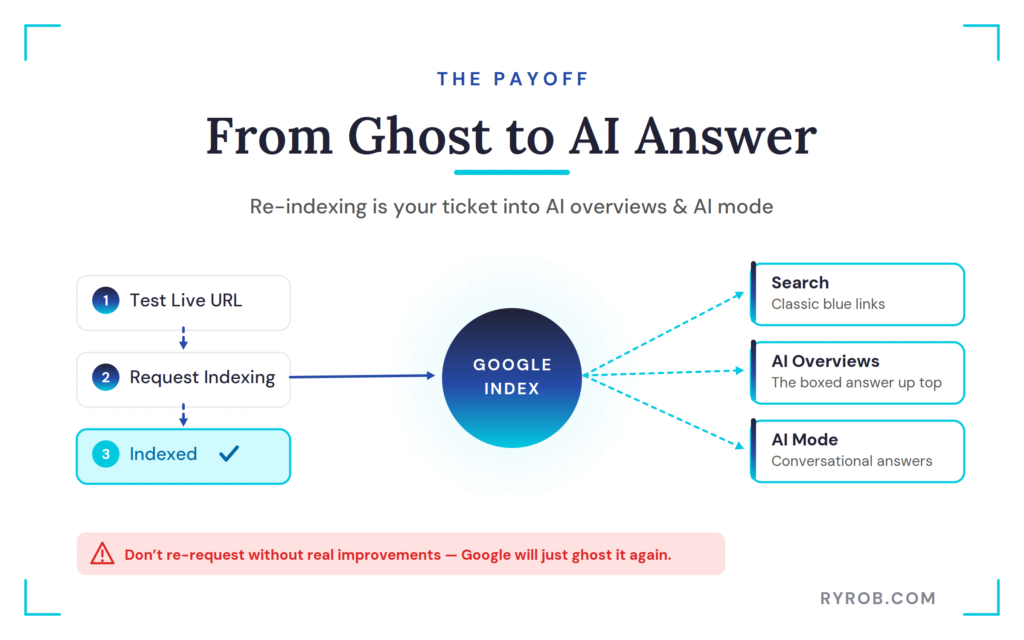
Getting indexed used to be about ranking. Now, it’s your ticket to even being in the conversation when someone asks an AI a question. Being invisible is a lot more expensive than it used to be. If you need a reliable crawled currently not indexed fix, you have to upgrade your pages with real value.
Go check your report, and I would hear your most embarrassing ghosted post down in the comments because misery loves company and mine is a wall of old content.
FAQs About Crawled, Currently Not Indexed Pages
A few quick answers to the questions that come up most about these ghosted pages.
Does crawled currently not indexed mean my site is penalized?
No, it just means Google read your page and decided it wasn’t unique or valuable enough to add to the index compared to what’s already out there.
Should I request indexing for every unindexed page at once?
Absolutely not. If you use the request indexing feature on low quality content without fixing its flaws, Google will just leave it out of the index again.
How long does it take for Google to re-index a fixed page?
Timelines vary based on your site architecture and internal linking strategy, but once you make real improvements, Google usually recrawls the URL within a few days to a couple of weeks.
Can I just delete all my unindexed pages?
You don’t need to nuke everything in a panic. You can improve worthwhile blog posts with unique data, and let go of or combine the truly hopeless ones.
Final Thoughts on the Crawled, Currently Not Indexed Fix
Here’s what I keep coming back to. Crawled, currently not indexed isn’t a punishment, it’s feedback. Google is telling you the page didn’t earn its spot, and most of the time it’s right.
The good news is the crawled, currently not indexed fix is almost never about clever technical tricks anymore. Rule out the boring stuff first, then be honest about whether your page actually says something only you can say. That’s the whole game now.
So go pull up your report and pick one ghosted page to save this week. Add your data, your photos, and your real take, then give Google a reason to keep it around. The pages worth fixing are almost always the ones you already care about.
Free Sitemap Checker: Test Your Site’s SEO Health
Check your sitemap and run a free technical SEO health audit in seconds. Spot crawl errors, broken URLs, and indexing issues before Google does, and get your report emailed with steps on how to fix.
Disclaimer: This story is auto-aggregated by a computer program and has not been created or edited by budgetbuddy.
Publisher: Source link
Publisher: Source link