
Opening your banking app shouldn’t make your stomach drop. But if you’re a creator, freelancer, podcaster, influencer, or YouTuber, I’d bet the bookkeeping for your creator business is the task you keep pushing to next week, then next month, then straight into tax season. I’ve done it too, so no shade here.
Here’s the good news: Getting your books current doesn’t take a finance degree or a lost weekend. Once you connect your business bank account to real accounting software like Xero, you can streamline reconciliation and keep all your receipts in one place. That’s how I built a financial routine in about 20 minutes, and now I just keep it going with about 10 minutes of check-in time each week.
Quick note before we dig in. This is practical bookkeeping guidance, not tax or legal advice. Your setup time really depends on how many transactions are waiting, how organized you already are, and how complex your creator business has gotten.
Key Takeaways for a Smart Creator Bookkeeping Setup
- Bookkeeping gives you a clear picture. A basic system records what your business earns, spends, and keeps, and it makes tax prep way less stressful because your transactions and documents are already sorted.
- The setup is just three jobs. Connect your business bank account so transactions flow in on their own, reconcile them by matching each one to the right category, and capture receipts before they vanish into your inbox or camera roll.
- A bank feed and reconciliation aren’t the same thing. The feed imports transactions from your bank, and reconciliation is the review step where you confirm each one belongs in your books with the right details.
- A short weekly session saves you from a backlog. Once it’s set up, about 10 minutes a week keeps you from facing a six or seven-month cleanup later.
- Software has its limits. As your income streams, contractors, and tax needs get more tangled, a bookkeeper who gets online businesses starts to earn their keep.
- Clean books are about clarity, not spreadsheets. For content creators, knowing what your business can actually afford is what helps you make smart calls and grow.
Get Your Books Current the Way I Did With Xero
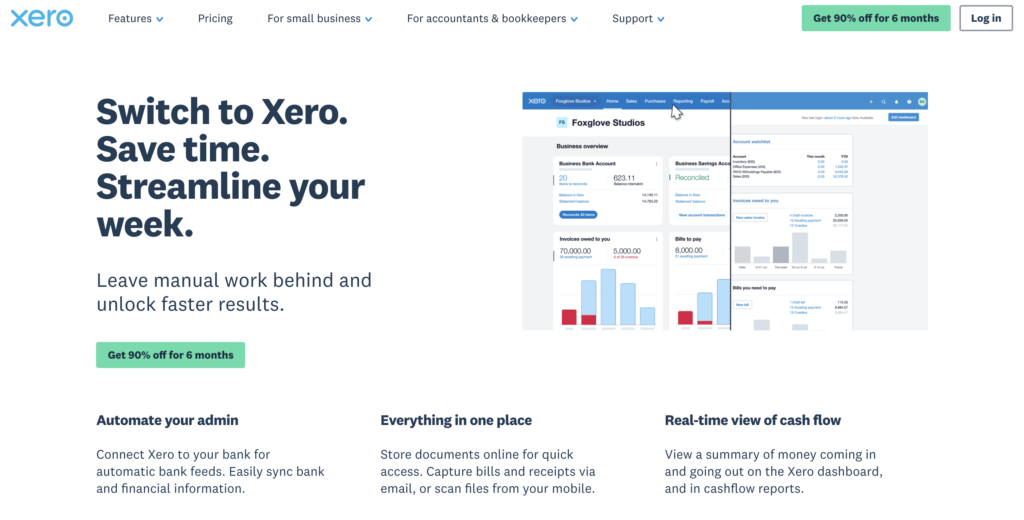
I avoided my finances for seven months, so trust me when I say Xero makes starting way less painful than it sounds. It connects your bank, suggests the matches, and staples receipts to the right charges, so the scary part becomes a few clicks. After setup, staying current only takes me ten minutes a week! Ready to start? My link gets new users 90% off for the first six months 👇
Disclosure: Please note that some of the links below are affiliate links and at no additional cost to you, I’ll earn a commission. Know that I only recommend products and services I’ve personally used and stand behind. When you use one of my affiliate links, the company compensates me, which helps me run this blog and keep my in-depth content free of charge for readers (like you).
Why Creators Avoid Bookkeeping and What It Really Costs
Most of us start a business because we want to write, record, design, teach, consult, or build something useful. Almost nobody gets fired up about sorting through merchant names, payment processor fees, and receipts from four months ago.
So the avoidance makes sense. Bookkeeping can feel miles away from the work that actually pays you, especially when you’re juggling sponsorships and a few income streams while building your brand. Yes, I know, I feel the same.
But I’ve realized that ignoring the numbers just piles up more work later, because every transaction gets harder to identify the longer it sits.
A neglected account fills up fast with subscription renewals, client meals, contractor payments, affiliate deposits, software charges, and personal transfers. Give it a few months and you honestly can’t remember what half of it was for. Then you’re digging through email, old Slack messages, and your calendar just to figure out one expense.
There’s a quieter cost too. When receipts go missing or expenses never get documented, you might not have the records to support potential tax deductions or legitimate write-offs.
Tax rules vary by situation, so let a qualified tax professional guide those calls. But organized documentation gives your accountant a much better place to start.
The Difference Between Messy Books and Missing Money
Messy books do not automatically mean money has disappeared. They do mean you have less visibility into where your money is going.
For example, a creator might keep paying for overlapping email tools, old website plugins, unused stock media subscriptions, or a software plan that no longer fits the business. Without a regular review, those charges can continue for months because they never get attention.
Incomplete records also make it harder to answer useful business questions:
- Is client work still the main source of income?
- How much are payment processors taking from digital product sales?
- How healthy is your cash flow when waiting on payments from brand deals?
- Can the business afford a freelance writer or video editor?
- Is a new course launch profitable after advertising and contractor costs?
- Which subscriptions are earning their keep?
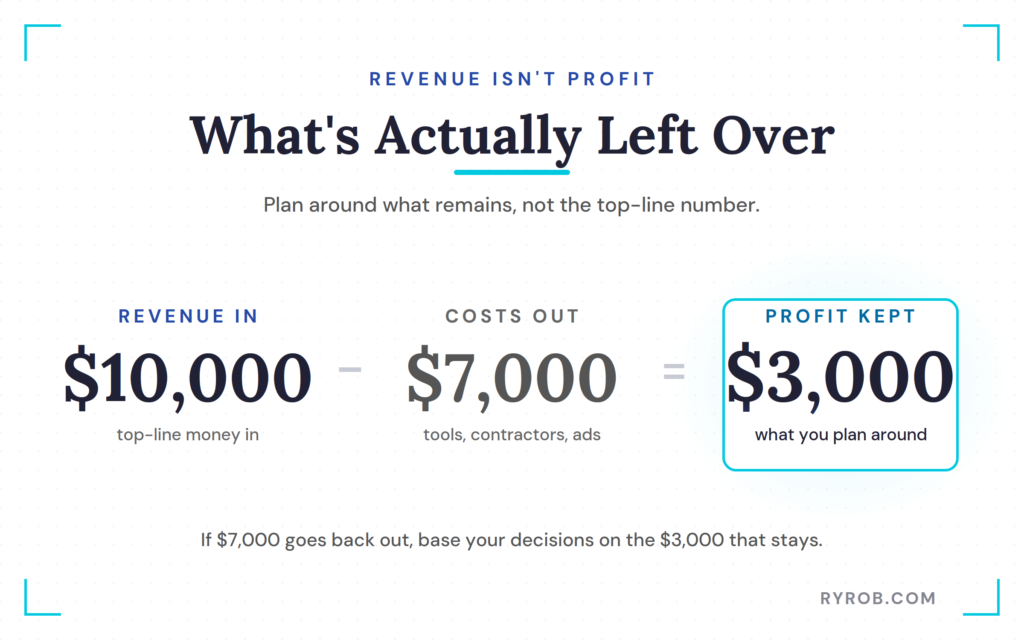
Profit is not the same as revenue. If $10,000 comes into the business but $7,000 goes back out for tools, contractors, advertising, and other costs, your decisions should reflect the $3,000 that remains, not the top-line number.
For more tools that can help organize the operational side of a one-person business, browse this online business resource guide.
What to Gather Before You Start
You don’t need a perfect filing system before you start. A few basics on hand just make that first session go faster. Even if you’re brand new, your LLC formation usually calls for this kind of organization anyway to stay compliant.
Keep your business bank login handy, plus recent statements in case you need to upload transactions manually. Pull up your payment processor records from platforms like Stripe or PayPal too, if those deposits need to match to invoices or sales.
It also helps to have your receipts within reach, whether they’re in Gmail, cloud folders, downloaded PDFs, or a paper pile on your desk. Don’t wait until every receipt is perfectly named and sorted. The whole point is to connect documents to their matching transactions as you go.
If you haven’t split personal and business spending yet, open a dedicated business checking account as soon as it makes sense for you. Separate accounts kill a ton of guesswork and make your reporting so much easier to read.
How to Set Up Creator Bookkeeping in Xero
The setup I’m walking through uses Xero, a financial management platform with banking, expense management, invoicing, payroll, reporting, and forecasting tools. You can follow the same general steps in other software like QuickBooks, the labels and features will just look a little different.
That 20-minute mark is a target, not a promise. A brand-new creator business with a short list of transactions might wrap up in 20 minutes, while someone reconciling a full year across a few accounts is going to need longer. Even then, just getting that first batch done sets everything moving in the right direction.
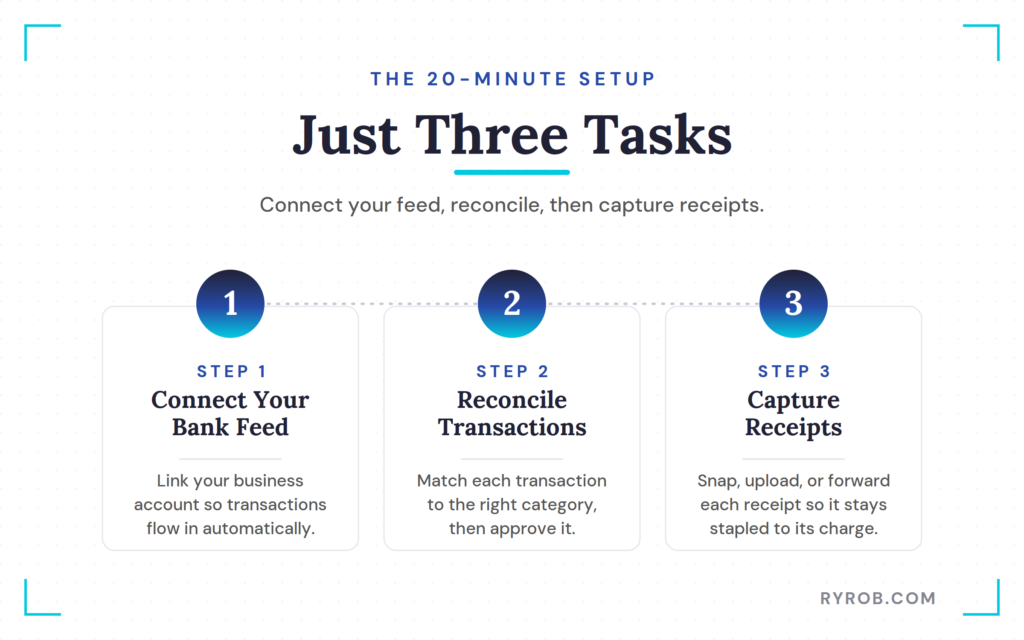
From here it’s only three tasks. First you connect your bank feed, then you reconcile a batch of transactions, and last you capture your receipts.
Connect Your Bank Feed
Start with the bank account your business actually uses for income and expenses. In Xero, you’ll find this under the Accounting menu, then Bank Accounts, then the option to add an account.
Search for your financial institution, pick the right account, and run the secure sign-in through your bank. Xero says it connects with more than 21,000 financial institutions worldwide, including more than 1,000 major US banks and financial institutions.
Once the connection goes live, your recent transactions start flowing in on their own. That bank feed is what makes importing platform payouts from sources like Stripe so clean, so your revenue actually gets captured.
Now, the feed won’t classify everything perfectly, and it doesn’t replace your review. What it does is save you from typing every single charge and deposit into a spreadsheet by hand.
If your bank or credit union isn’t supported, no big deal, just use a monthly PDF or CSV import instead. Download the statement from your bank, upload it to your accounting software, and review the transactions in the same spot. It’s a couple extra clicks, not a dealbreaker.
Reconcile Transactions by Matching Them
Reconciliation sounds way scarier than it is. In plain terms, you’re just checking that the transaction your bank reports matches the one recorded in your books. It’s a core piece of your overall expense tracking.
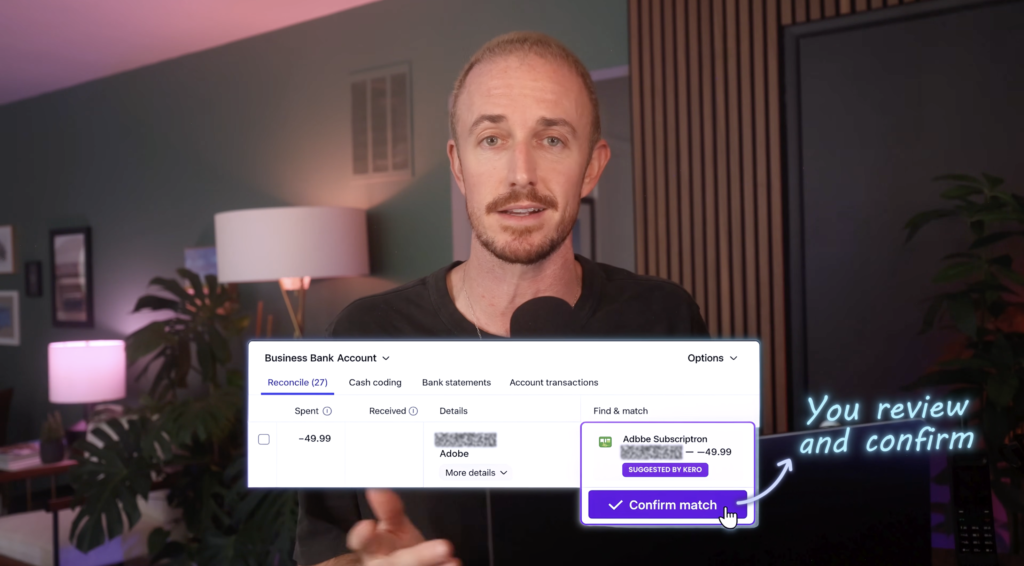
The bank activity sits on one side. The accounting entry, category, invoice, or suggested match sits on the other. All you’re doing is confirming the details and approving the match when they line up.
For a creator business, you might reconcile stuff like this.
- A Stripe deposit against an invoice or product sale
- A Webflow or hosting charge as a software expense
- A client lunch as a meal expense, if your accountant confirms the right treatment
- A transfer to yourself as an owner draw rather than a business expense
- A contractor payment as a contractor or professional services cost
Xero can suggest matches and start recognizing your recurring patterns over time. Once you’ve categorized a monthly hosting charge a few times, it’ll usually start suggesting that same category for you.
Some transactions still need a manual touch. If Xero can’t find a match, use the find and match option to track down the right record, or just create a new transaction and pick the category yourself. This is exactly where a short weekly review pays off, because the details are still fresh in your head.
The video also shows off Xero’s AI assistant, JAX, which can reconcile whole batches and leave the exceptions for you to check. Availability depends on your Xero plan, and honestly, any software suggestion still deserves a human look before you approve it.
Capture Receipts With Smart Document Capture
Receipts are usually the weakest link in a creator’s bookkeeping. The expense is right there in the bank feed, but the receipt is buried in an email thread, a downloads folder, or your actual wallet.
Xero’s Smart Document Capture gives you a few ways to get those records into the same system. You can snap a photo through the mobile app, upload a PDF, or save a screenshot of an emailed receipt.
After upload, it pulls the details like the supplier, date, and total. Then it matches the document to the charge in your bank feed, so the receipt and transaction stay stapled together.
That attachment really matters later, when you need to review an expense, hand records to your accountant, or answer a question about some transaction. It also saves you from digging through years of email when tax time shows up.
If you want to run the same setup, the Xero introductory offer for new users gets you 90% off for the first six months. Pricing, plan features, and promotions can change, so check the current terms before you sign up!
How to Keep Your Books Current in 10 Minutes a Week
That first setup session matters because it turns bookkeeping into a small recurring habit instead of a giant cleanup project. Block a 10-minute appointment on your calendar each week and your monthly financials just stay accurate and organized. Keep it on the same day and time and it’ll actually stick.
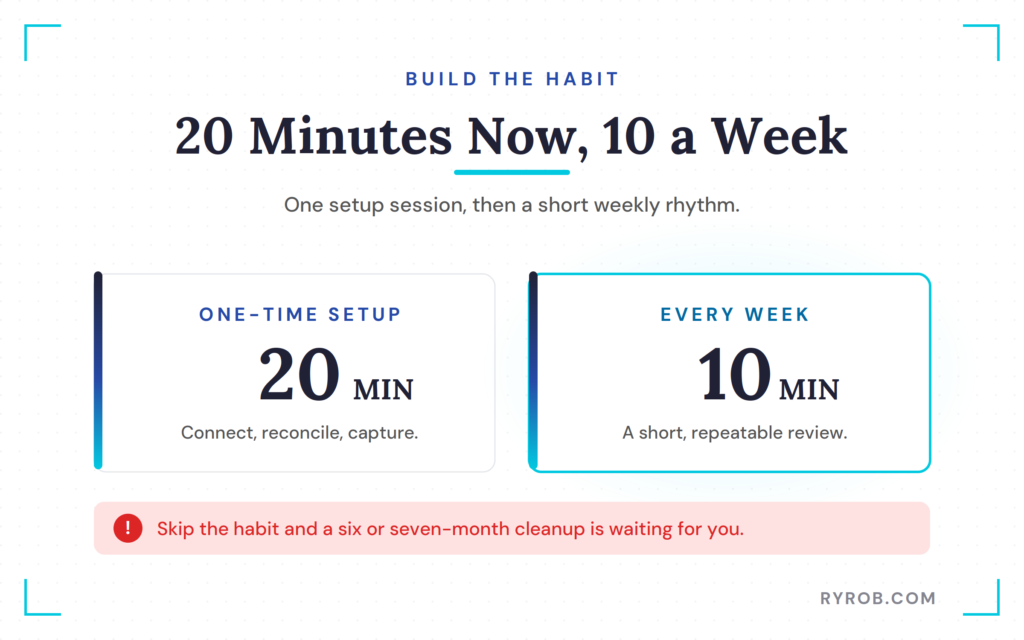
During that session, open your bank feed and run through the new transactions. Approve the obvious matches, categorize anything that needs a decision, and flag charges you don’t recognize. Then upload any missing receipts while you can still find them.
A weekly rhythm also gives you an early heads-up when something’s off. You might catch an accidental duplicate charge, a subscription renewal you forgot about, a payment that never landed, or a transaction that’s actually personal.
Use Categories That Match Your Creator Business
Categories organize your income and expenses so your reports are actually useful instead of a confusing mess. You don’t need dozens of hyper-specific labels. Broad, consistent categories are usually way easier to keep up.
Common creator categories include software, web hosting, contractors, advertising, equipment, education, travel, payment processing fees, office supplies, and professional services. It’s also worth tracking specific income streams like YouTube revenue, Patreon earnings, sponsorships, digital products, and ad revenue.
Owner payments deserve extra care. Money you move from the business to yourself might be an owner draw, a salary, or a distribution, and getting that right is a real part of proactive tax planning. Don’t guess at it, ask an accountant who understands your entity type and tax obligations.
The category names in your software help with reporting, but they don’t decide on their own whether something’s deductible. Let your tax professional help you sort out what applies to your specific business.
Review Numbers That Support Better Decisions
Bookkeeping is a recordkeeping task, but the reports it spits out can steer some genuinely better decisions. At the end of each month, look at your income, recurring costs, net profit, unpaid invoices, and the cash flow actually sitting in your bank.
That quick review helps you decide whether to renew a pricey tool, raise your freelance rates, pause an ad campaign that’s not working, or finally invest in some support. If editing is eating your whole week and the numbers show steady profit, hiring an editor becomes a much easier call.
Those reports matter even more when revenue dips. Search traffic, affiliate commissions, sponsorships, and course sales can swing month to month, and knowing your fixed costs lets you react on facts instead of panic.
When Xero Is Enough and When to Hire a Bookkeeper
Xero handles a lot of the routine stuff, from imported transactions and suggested matches to invoices, receipts, expense records, and clean financial statements. For a small creator business with straightforward income and expenses, that might be all you need to keep your records current and your tax compliance on track.
But software can’t interpret every weird transaction or give you personalized advice. It won’t know your intent behind a transfer, confirm the right treatment for a mixed personal and business expense, or replace professional guidance on your entity structure. It’s worth bringing in a pro once you’re weighing an S-Corp election or handling 1099 forms for your contractors.
A bookkeeper really earns their keep when you’ve got multiple income streams, several bank or credit accounts, international payments, sales tax duties, or a growing roster of contractors. You might also want the support if owner draws or payment processor fees keep leaving you unsure.
What to Look for in a Creator-Friendly Bookkeeper
A good bookkeeper doesn’t have to be a creator themselves, but it helps to work with someone who knows influencer accounting and the quirks of the creator economy.
Ask whether they’ve handled affiliate commissions, brand deals, course platforms, and mixed digital income. Those revenue sources tend to throw off deposits and fees that need careful reconciliation. It’s also worth asking if they do more than basic recordkeeping, like tax planning or fractional CFO support, as you scale.
If they use Xero or compatible software, you can give them access without handing over your personal bank login. And keep in mind a bookkeeper and a tax preparer might be the same person or two totally different pros, so get clear on who owns monthly records, tax planning, payroll, and filing returns.
Common Bookkeeping Mistakes Creators Should Avoid
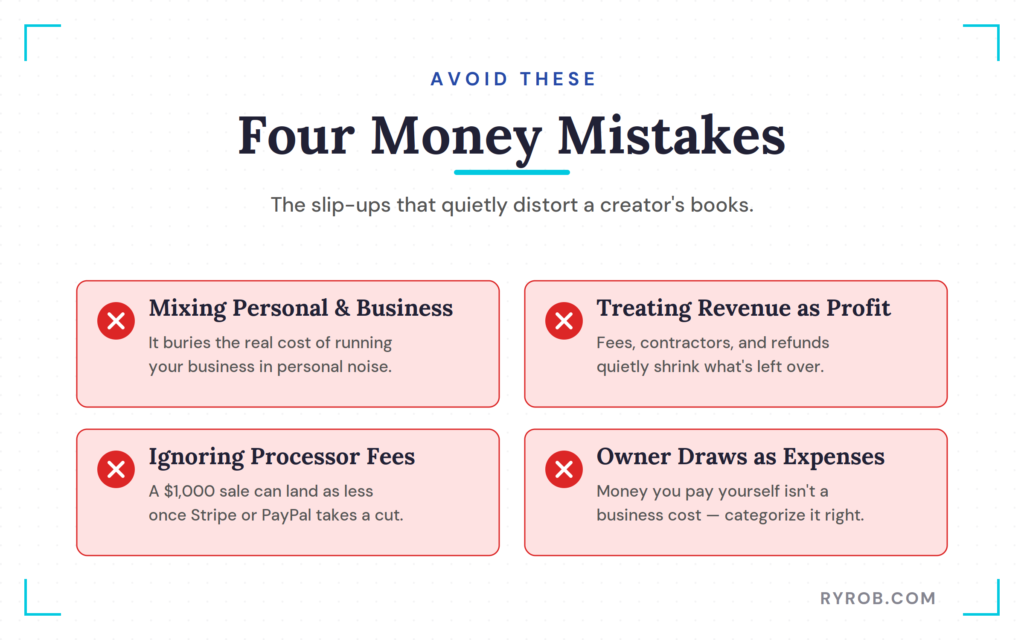
Mixing personal and business purchases is one of the most common ones. It creates extra work and totally hides the real cost of running your business.
Another trap is treating every dollar that lands in your account as profit. Revenue can look great while expenses, contractor costs, refunds, payment fees, and taxes quietly shrink what’s actually left over.
Creators also forget to account for processor fees. A $1,000 payment might hit your bank as less than $1,000 after Stripe, PayPal, or platform fees, so record the gross income and the fee correctly or your sales reports will understate what you brought in.
Other slip-ups include approving duplicate transactions, losing receipts, and filing owner draws as expenses. Automation saves time, but eyeball those suggested matches before you approve them, because the software spots patterns without knowing every little detail of your business.
FAQs About Creator Bookkeeping Setup
A few quick answers to the questions I hear most from creators setting up their books.
What Is the Difference Between a Bank Feed and Reconciliation?
A bank feed automatically imports transactions from your financial institution into your accounting software. Reconciliation comes after that, when you match, categorize, and approve those transactions so your financial data stays accurate for quarterly taxes.
What Should I Do If My Bank Isn’t Supported?
Download a bank statement as a CSV or PDF, then import it into your accounting system. You can still categorize and reconcile everything, you’ll just probably need to repeat the upload each month.
Do Creators Need to Save Receipts?
Keep the receipts and records that back up your business expenses. They help you verify what a transaction was for and give you the evidence you’d need to claim legitimate tax deductions. Ask a qualified tax professional how long to hang onto records for your specific situation.
Can Xero Replace a Bookkeeper?
Xero can cut way down on manual data entry and help you keep current records. It doesn’t replace a bookkeeper or accountant once your business has complicated transactions, payroll, or questions that need real professional judgment. Even with software, you’ll still want a pro for complex stuff like quarterly taxes.
How Often Should a Creator Reconcile Transactions?
A weekly review of about 10 minutes keeps the whole thing manageable. At the very least, reconcile monthly so mistakes and missing documents don’t pile up, which makes it much easier to stay on top of your finances.
Is Xero Suitable for a Small Creator Business?
Yes. Xero can work really well for a small creator business that needs bank feeds, expense tracking, receipt capture, invoicing, and reporting. Just check the current plan features, pricing, bank coverage, and integrations before you commit to any platform.
Final Thoughts on Building a Creator Bookkeeping Habit
Creator bookkeeping gets so much easier once you turn it into a short, recurring task instead of a once-a-year emergency. Connect your bank account, reconcile the transactions you can identify, attach receipts as you find them, and protect a few minutes each week for upkeep.
You really don’t have to love spreadsheets to keep clean books. You just need a process that keeps expenses documented, gives you an honest look at your profit, and makes tax season less stressful. Stay organized, and you get to spend way more time on your craft and a lot less time worrying about your finances. That way, you can focus on growing a profitable blog or the business you have.
Quick heads-up for transparency. This article includes an affiliate link to Xero, and the video was sponsored by Xero. That relationship doesn’t replace independent financial and tax advice, so talk to a qualified accountant or tax professional before you make decisions about deductions, business structure, or filing requirements.
Get Your Books Current the Way I Did With Xero
I avoided my finances for seven months, so trust me when I say Xero makes starting way less painful than it sounds. It connects your bank, suggests the matches, and staples receipts to the right charges, so the scary part becomes a few clicks. After setup, staying current only takes me ten minutes a week! Ready to start? My link gets new users 90% off for the first six months 👇
Disclaimer: This story is auto-aggregated by a computer program and has not been created or edited by budgetbuddy.
Publisher: Source link
Publisher: Source link