
You can spend an entire week preparing for your webinar, then torch the whole thing because the webinar streaming you chose looks cheap or has technical hiccups. That’s the part nobody likes to talk about, and why your webinar streaming quality is crucial to get right.
The real problem with webinar stream quality usually isn’t your camera, lighting, audio, or Wi-Fi. It’s the platform architecture of the live webinar platform you’re using to broadcast the event. That choice affects how your webinar looks, sounds, and holds attention. Watch my full breakdown:
Key Takeaways for High Quality Webinar Streaming
A successful webinar stream that delivers a high quality broadcast has four jobs to do at once:
- Record your video and audio cleanly into the cloud (in up to 4k resolution)
- Look professional for your live virtual events with high quality brand elements
- Keep your audience involved & engaged with tools like polls and Q&A
- Leave you with marketing assets you can repurpose (short-form clips, blog posts, and email copy)
That’s why one bad webinar streaming setup can wreck both the live event, your replay, and all the downstream content. Get you webinar tech stack right, and one webinar can turn into a recording, clips, a blog post, and a newsletter all in one go.
As you’ll see in my full video walkthrough above, I use Riverside to host all my webinar streams when I go live on my YouTube channel. You can use the code RyanR to get one month free on their fully featured Webinar plan.
Get My Webinar & Recording Tool of Choice: Riverside
Riverside is my go-to platform for hosting webinars, livestreams, podcast interviews, and meeting with my team. Their studio tools are awesome. If you create video content, I can’t recommend them more highly. Plus, you can try it out for free.
Why Some Webinars Fail the Tech Test
Picture this, you have 100 people registered, your slides are tight, and then the live feed turns into a blurry mess that lacks the HD video quality attendees expect. The audio sounds thin. The stream buffers every 30 seconds.
Most viewers do not wait around to see if things improve, especially since standard video conferencing tools often fail to hold attention during high-stakes webinars. They leave fast, often within the first minute, and that means a room full of leads disappears before you even get to your best point.
“This company doesn’t have their act together.” That’s what people think when the stream falls apart. Not, “Their internet is slow.”
4 Webinar Streaming Quality Benchmarks to Hosting a Better Webinar
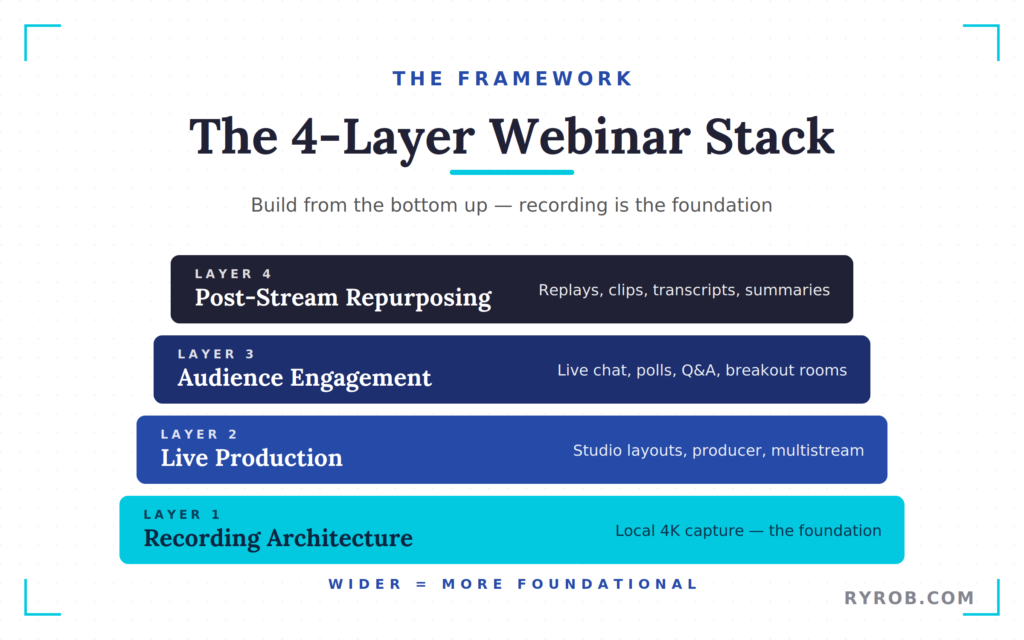
I break webinar streaming into four layers, because one fix alone is not enough.
- Recording architecture, which is the foundation.
- Live production, which makes the event look polished.
- Audience engagement, which keeps people active.
- Post-stream repurposing, which gives the webinar a second life and adds value to long-term marketing workflows.
That is the model I like because it keeps the whole workflow in view, unlike basic virtual meetings that focus only on the live moment you hit go live.
Layer 1: Webinar Streaming Architecture
Most webinar tools send your camera feed to the cloud, process it on their servers, then send it back out to the audience.
If your connection stumbles, the stream stumbles with it. If the live version looks bad, the recording usually looks bad too.
Webinar streaming tools like Riverside take a different approach. Their platform records locally on each participant’s device in up to 4K quality, while also sending the live stream out to viewers.
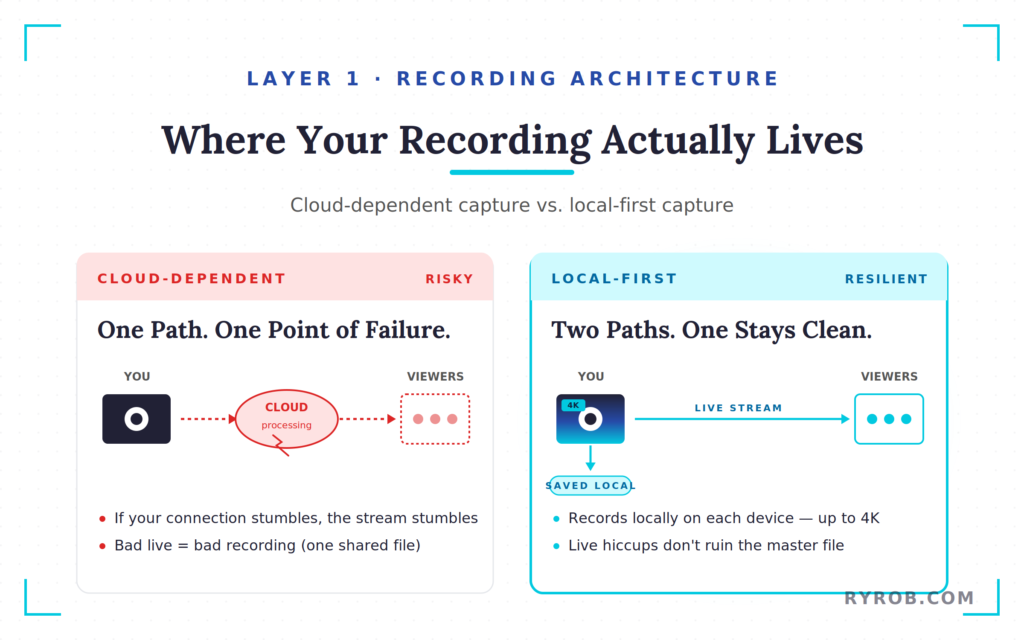
That means your recording stays clean even if the live connection has a rough patch. Riverside also maintains high security standards, ensuring the local 4K recording is never compromised by connection drops.
If you want a deeper breakdown of that workflow, Riverside’s how to live stream guide shows the same simple setup from start to finish.
Layer 2: Make the Live Webinar Look Intentionally Great
Once the recording architecture side is solid, the next step is nailing your live presentation elements.
Inside Riverside, you can build a studio with your own custom branding and different layouts for speaker view, slides, gallery view, or screen sharing. It features a super clean user interface.
The producer role matters here if you’re working with someone to help on your webinars. Your producer can manage all of these tools for backstage work, switching layouts, running Q&As, launching polls, and admitting call-ins, while the presenter stays focused on speaking and delivering the message.
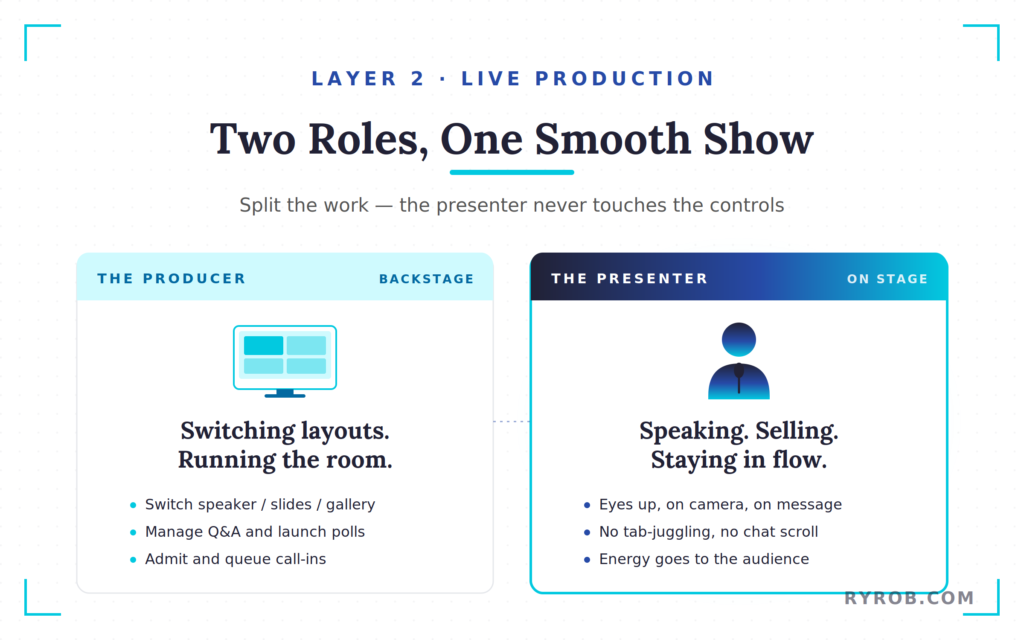
That same browser-based setup also makes multistreaming simple.
You can send one webinar for social media broadcasting to YouTube, LinkedIn, Facebook, or a custom RTMP destination without stitching together a pile of extra tools.
Layer 3: Engaging Your Live Webinar Audience
Quality isn’t only about camera resolution, lighting, and audio. A webinar can look sharp and still flop if nobody interacts during your stream.
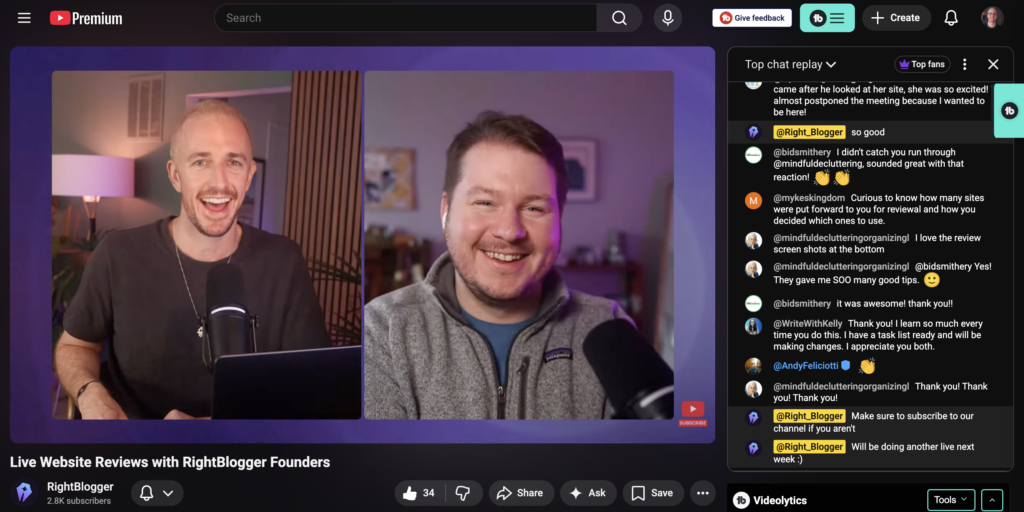
Riverside builds in live chat, polls and Q&A, and interactive features like breakout rooms for attendee engagement. That gives you real ways to pull the audience into the session instead of just talking at them for an hour.
It also helps with lead generation. Registration pages can track where people came from and how long they stayed, and you can export that data or sync it via CRM integrations to tools like HubSpot or Salesforce.
Layer 4: Turn One Webinar Into a Content Library
This is where the real payoff shows up. The best webinar tools do not stop when the stream ends, they hand you a usable recording right away.
With webinar streaming tools like Riverside, you can trim the intro, cut dead air, add captions, clean up the audio, and even incorporate pre-recorded content to polish the final version all in the same place. Then AI tools like Magic Clips can pull out the strongest moments for short-form video.
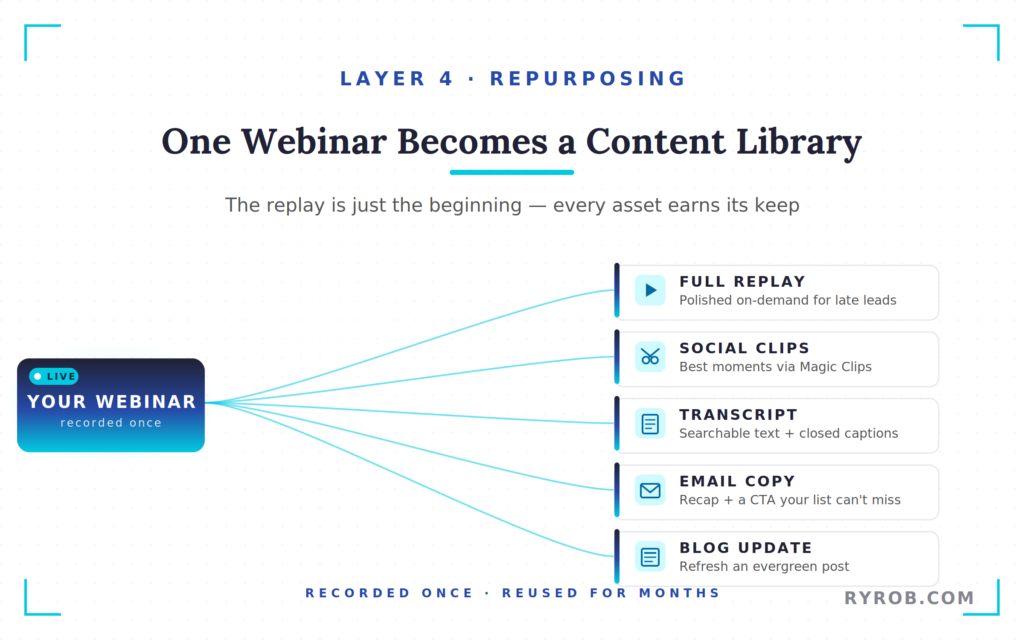
That means one webinar can become a polished full replay that serves as high-value on-demand webinars for late-coming leads, a few social clips, a transcript for video repurposing, and a summary you can turn into email copy or a post update. If you already publish and refresh content, this fits right into republishing and updating blog posts.
Common Webinar Mistakes That Keep Showing Up
The mistakes are usually basic. Wrong time zones. No producer. Separate tools for recording and editing. No plan for what happens after the live event ends. Lack of dedicated customer support. Confusing workflows.
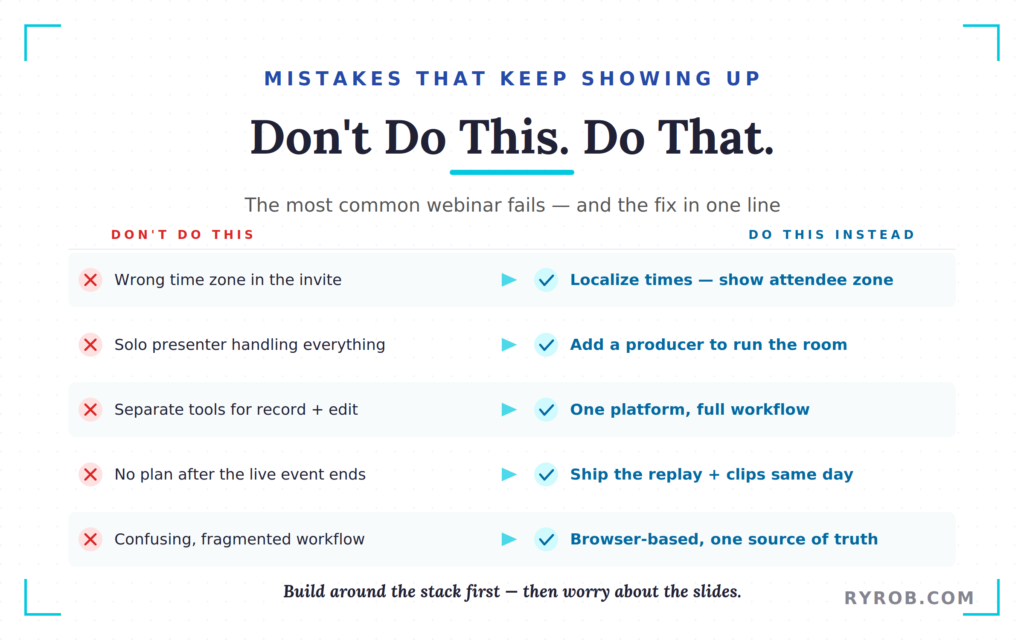
If you want a cleaner process, start with one platform that handles the whole flow, including online training sessions, hybrid webinars, or even automated webinars. Riverside’s webinar setup guide walks through that workflow in more detail.
FAQs About Webinar Streaming Quality
Here are a few of the most common questions I get about running high quality webinar streams.
Do I need a full production team to host a webinar?
No. A solo setup is perfect for product demos and can work well if the platform gives you recording, layouts, producer controls, and repurposing tools in one place. Tools like Riverside and Streamyard are great options for solo-hosted webinar streams.
Can I use a webinar recording after the live event?
Yes, and you should. The recording, transcript, clips, and summary are often more useful than the live session itself. The content you create during your webinar can now live on in other formats across your social channels, blog, and newsletter.
How do I track webinar performance?
Webinar tools like Riverside and Streamyard have an analytics dashboard to monitor key metrics like views and attendance. Polls and Q&A data provide valuable insights into audience engagement and feedback.
Final Takeaways for Higher Quality Webinar Streaming in 2026
A bad webinar usually is not a content problem. It’s a setup problem. Once the architecture is right with a professional live webinar platform, the live show feels calmer, the audience stays longer, and the replay is worth keeping.
If your next webinar needs to look polished without turning into a tech headache, build around the stack first, then worry about the slides.
If you want to try the same workflow, Riverside’s webinar plan gives you a simple place to start with a free trial, and the code RyanR gets you a one-month free on their fully featured Webinar plan. Enjoy!
Get My Webinar & Recording Tool of Choice: Riverside
Riverside is my go-to platform for hosting webinars, livestreams, podcast interviews, and meeting with my team. Their studio tools are awesome. If you create video content, I can’t recommend them more highly. Plus, you can try it out for free.
Disclaimer: This story is auto-aggregated by a computer program and has not been created or edited by budgetbuddy.
Publisher: Source link
Publisher: Source link